
Grow Your Business
Handyman Invoicing Software
Handyman invoicing software for fast billing on every small job.
Build a clean, professional invoice on the spot with labor, materials, flat rates, and trip fees on one document. Take card payments in the field, sync to QuickBooks, and bill every job before you pack up the truck.
Stripe payments built in
Two-way QuickBooks sync
Field signature capture
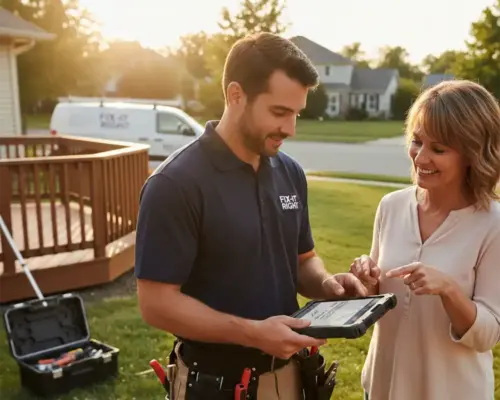
Invoice ready
Labor + materials + trip fee
Payment
Card tapped on-site
In plain English
What is handyman invoicing software?
Handyman invoicing software is a billing system built for small-ticket, high-volume repair work. It builds an itemized invoice at the job site from the labor, materials, flat-rate tasks, and trip fees on a visit, and takes a card or ACH payment through a link on that invoice. It tracks deposits and progress payments on bigger renovations, and syncs invoices and payments to accounting so the office and the field see the same balance.
Solo handymen
For a one-person operation, it means the $50 faucet fix is billed before the truck leaves, instead of joining a stack of tickets written up on Sunday night.
Multi-tech handyman companies
For a crew, it means every technician bills from the same price book in the same format, and the office can see which of last week's jobs are still unpaid.
Bella FSM is handyman invoicing software built for exactly that range. It fits a one-truck operation and a multi-crew company. The trial runs 14 days with no credit card.
Fifty-six percent of surveyed small businesses reported being owed money on unpaid invoices, averaging $17,500 per business, and 47% had invoices more than 30 days overdue (QuickBooks 2025 U.S. Small Business Late Payments Report, cited in the 2026 State of Small Field Service Businesses).
The handyman billing problem
Handyman billing software for the small jobs that never get invoiced
The reality
A dozen small jobs a week
- $50 faucet fixes one hour, $5,000 renovations the next
- Mixed labor, materials, flat rates, and trip fees on a single job
- Several short visits crammed into one busy day
- Bigger renovations need a deposit before work starts
- You finish a job and roll straight to the next one
What goes wrong
Handwritten invoices pile up
- Small-job invoices sit un-sent for days or weeks
- Billable materials and trip fees get forgotten
- Labor is undercharged by eyeballing the hours
- No record of who paid the deposit on the big jobs
- Outstanding balances disappear into a glove box of receipts
With Bella FSM
Billed before you leave
- Build a professional invoice on-site in a tap
- Itemize labor, materials, flat rates, and trip fees together
- Collect deposits and progress payments on renovations
- Capture a signature and take a card in the field
- See every unpaid balance and follow up automatically
Built for handyman billing
Key features of Bella FSM handyman invoicing software
Generic invoicing apps assume one rate, one line, one job. Handyman work is messier than that. Labor, materials, flat rates, and trip fees often land on a single invoice. Every Bella FSM invoicing feature is built around the small-ticket, high-volume reality of the trade.
Mixed Line Items
Put hourly labor, flat-rate services, materials, equipment charges, and trip fees on one clean invoice. The faucet fix and the full renovation use the same flexible line-item builder.
One-Click Estimate to Invoice
Convert any approved estimate into an invoice in a single click. No duplicate entry, no copy-paste errors, no rebuilding line items. The customer signs the estimate; you bill straight from it.
Invoicing in the Field
Generate an invoice from your phone or tablet the moment a job ends. Add photos, notes, and a digital signature on the spot, then present the invoice and accept payment before you pack up.
Deposits & Partial Payments
Collect an upfront deposit on a bigger renovation, take progress payments mid-project, and split billing across a multi-day job. Every payment tracks against the running balance.
Stripe Card Payments
Each invoice carries a secure Pay Now link powered by Stripe. Customers tap to pay by card or ACH from the same screen, and you can record cash or check payments in seconds too.
Two-Way QuickBooks Sync
Invoices, payments, and customers sync both directions with QuickBooks, so the books stay reconciled without double entry. The moment a payment clears, your accounting reflects it.
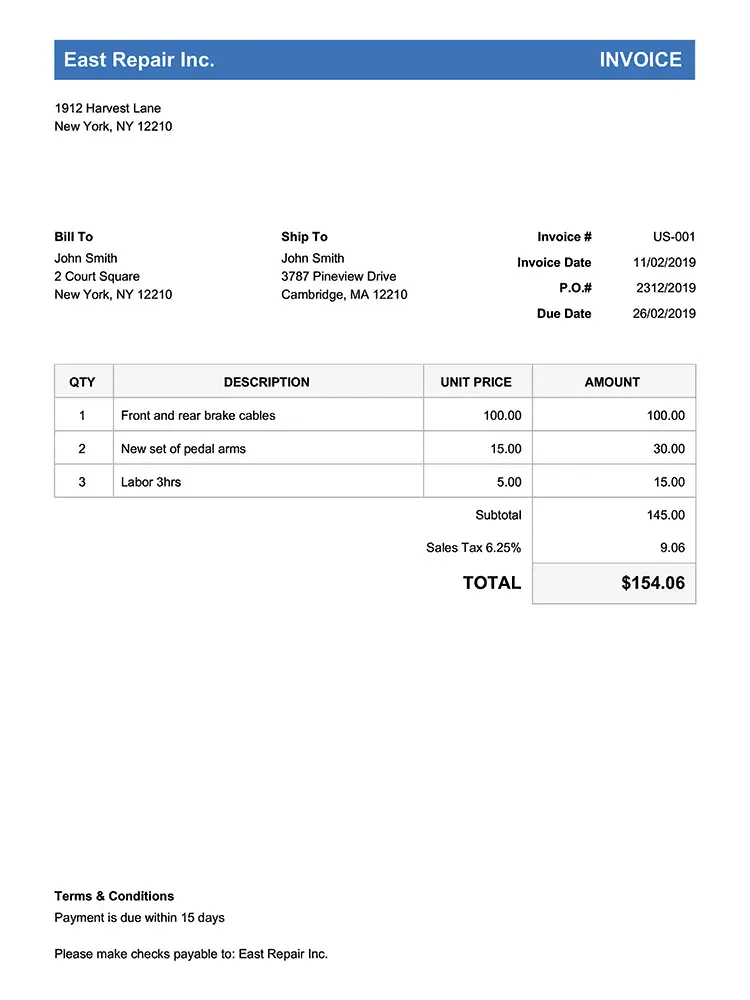
One invoice, every charge
Itemized Invoices
Start Free Trial
Itemized handyman invoices for labor, materials, flat rates, and trip fees
A single handyman visit can include an hour of labor, a box of fittings, a flat-rate door hang, and a trip fee. Bella FSM puts all of it on one professional, branded invoice clearly broken down so the customer understands every line and you never leave money on the table.
Every charge on one invoice
- Combine hourly labor, flat rates, materials, and trip fees on one invoice
- Mark up materials and add emergency or after-hours charges automatically
Taxes, markups, and branded templates
- Local sales tax and service fees calculate from your saved settings
- Branded templates carry your logo, business name, and payment terms
- Itemized totals customers can read at a glance, no questions asked
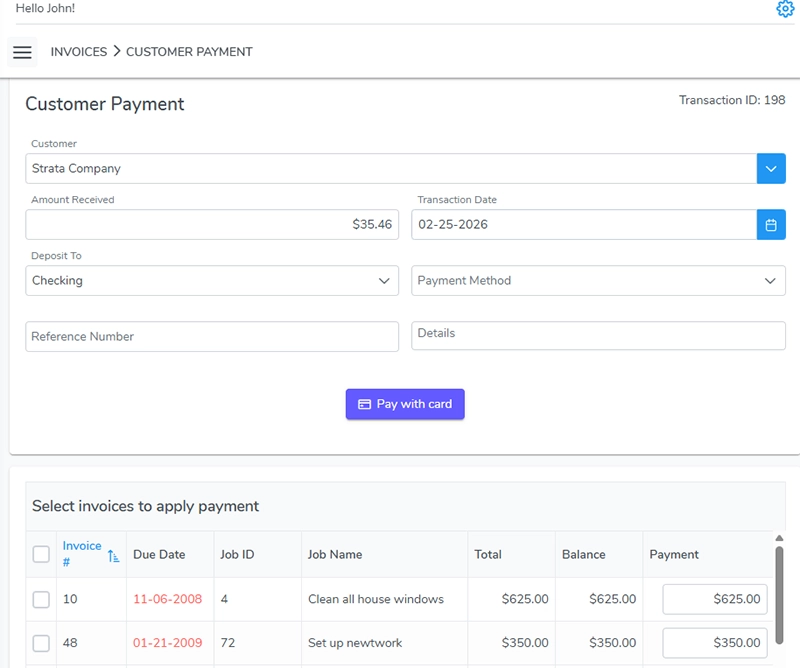
Deposit + progress tracked
Deposits & Progress Billing
Explore route scheduling & dispatch
Deposits and progress payments on bigger renovations
Collect a deposit on the renovation, then bill as the work moves. A $5,000 multi-trade renovation shouldn't be billed like a $50 faucet fix. Bella FSM lets you take a deposit before you buy materials, collect progress payments as phases finish, and keep the running balance straight so cash flow holds up on the big jobs as well as the small ones.
Deposits before the materials are bought
- Request an upfront deposit before the job starts
- Take progress payments as each phase of a renovation completes
Progress payments as each phase closes
- Split billing across a multi-day project without losing track
- Every deposit and partial payment posts against the running balance
- Customers pay each milestone by card from the same secure link
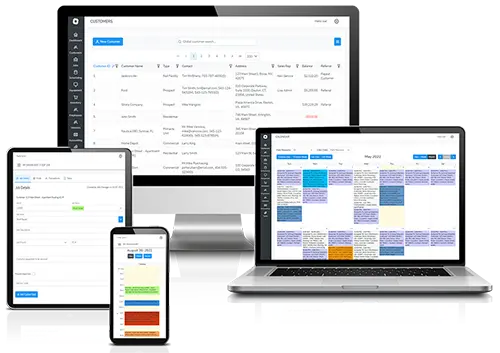
Overdue reminders sent automatically
Accounts Receivable
Start Free Trial
Payment tracking, automated reminders, and accounts receivable
Stop wondering who still owes you for last month's work. When you run a dozen small handyman jobs a week, outstanding balances are easy to lose. Bella FSM keeps every unpaid invoice in one accounts-receivable view and sends automated reminders on overdue balances, so you spend your evenings on the next bid instead of chasing payments.
Every outstanding balance in one view
- See every outstanding balance across all customers in one place
- Filter by customer to see exactly what each one still owes
Automated reminders and QuickBooks sync
- Send automated reminders on invoices that go past due
- Record cash, check, or card payments and watch balances update
- Payments auto-sync to QuickBooks so AR always matches the books
Flat rate, hourly, or both
Pricing Flexibility
Explore customer & property records
Flat-rate, hourly, and time-and-materials billing on one invoice
Price the way the job calls for, not the way the software forces. Some jobs are flat-rate, some are time-and-materials, and plenty are a mix. Bella FSM handyman invoice software gives you saved price-book items, hourly labor rates, material markups, and trip fees you can drop onto any invoice in seconds. Quoting and billing stay consistent whether it's a quick repair or a full renovation. If you are still setting your rates, see how to price handyman jobs first.
Saved price book for flat-rate services
- Save flat-rate services to a price book and reuse them on any job
- Add materials with consistent markups, not back-of-napkin guesses
Hourly rates, trip fees, and minimum charges
- Bill hourly labor with rates that fit the customer or the work
- Apply trip fees and minimum charges so small jobs stay profitable
- Mix any of these on a single invoice
Signed, sent, and paid on-site
1-Click Invoicing
Explore field service invoicing
Invoice on-site with one-click estimate-to-invoice conversion
Bill the job on-site, while you're still standing in it. The invoices that slip are the small ones you mean to write up "later." Convert the approved estimate into an invoice in one click, capture a signature, and take payment before you load the truck so the work is billed the same day it's done.
Approved estimate to invoice in one tap
- The approved estimate becomes the invoice with its line items intact
- Signature and card payment captured in the same visit
- Job photos and notes attach to the invoice from your phone
1click
Pro Tip · Bill Before You Leave
Convert the approved estimate to an invoice before you pack up.
Small jobs are the ones that never get written up. One tap turns the signed estimate into the invoice, so the job is billed the same day it is done and the payment link is in the customer's hand while you are still there.
Start Free Trial
Frequently Asked
Common questions about handyman invoicing software.
Can one invoice mix labor, materials, flat rates, and trip fees?
Yes. A single handyman visit often includes hourly labor, a box of materials, a flat-rate task, and a trip fee, and Bella FSM puts all of it on one itemized invoice. Each charge is a separate line so the customer can read exactly what they are paying for, and your team never forgets to bill the parts or the travel.
Is there a handyman invoice app for billing from the job site?
Yes. Bella FSM is built for field invoicing. The moment a job ends you can generate the invoice from your phone or tablet, add photos and notes, capture the customer's signature, and present a Pay Now link on the spot. You can collect a card payment before you pack up the truck, so the small jobs get billed the same day instead of piling up for "later."
How do deposits and partial payments work on bigger renovations?
For a larger multi-trade renovation you can request an upfront deposit before buying materials, then collect progress payments as each phase of the job finishes. Every deposit and partial payment posts against the running balance, so both you and the customer always know what has been paid and what is still owed across a multi-day project.
Does it accept card payments and sync with QuickBooks?
Yes. Every invoice carries a secure Stripe Pay Now link so customers can pay by card or ACH directly from the invoice, and you can record cash or check payments by hand as well. Payments, invoices, and customers sync both directions with QuickBooks, which keeps your books reconciled without any double entry.
Is invoicing software worth it for a solo handyman?
Yes. Solo operators run the highest volume of small tickets, which is exactly where un-sent invoices and forgotten materials cost the most. Sending a professional invoice on-site, taking payment by card, and seeing every outstanding balance in one place helps a one-person business get paid faster and look as established as the bigger competitors it bids against.
Get paid the same day
Stop letting small-job invoices pile up. Start using handyman billing software on-site.
Free 14-day trial. No credit card required. Build your first handyman invoice in minutes and take payment in the field, from a $50 fix to a $5,000 renovation. If you want a starting point before the trial, download the free handyman invoice template.
What you get on day one
- Itemize labor, materials, flat rates, and trip fees on one invoice
- Convert any approved estimate to an invoice in one click
- Build and send invoices from your phone or tablet on-site
- Take deposits and progress payments on bigger renovations
- Accept card and ACH payments through built-in Stripe links
- Two-way QuickBooks sync and real human support