
Grow Your Business
Field Service Invoicing Software
Field service invoicing software that gets every job billed and paid.
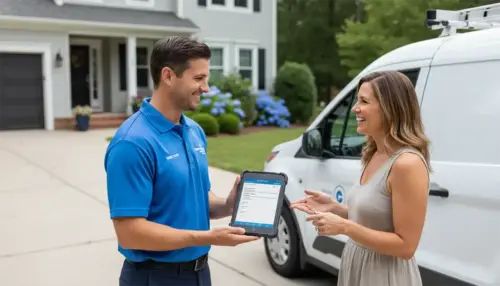
Write the invoice at the job site and send it before you pull out of the driveway. Customers pay by card through a link, deposits and partial payments are tracked against the balance, and QuickBooks updates itself.
Start Free Trial
Online payment links
Partial payments & deposits
QuickBooks sync
Invoice sent
Paid online in 2 min
QuickBooks
Synced automatically
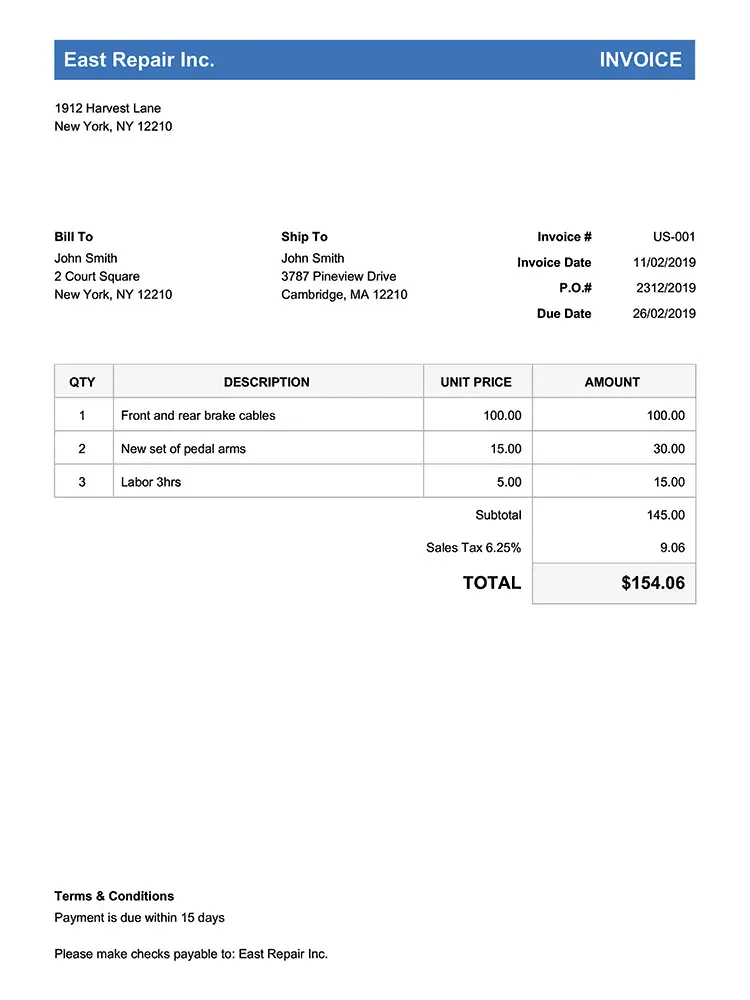
Generated from the work order
Invoicing & Payments
Create professional invoices from completed work orders
The invoice builds itself from the finished work order. Bella FSM pulls in the job details, line items, labor hours, and materials, so your technicians never retype anything they already entered once. Customize your invoice template with your company logo, payment terms, and service descriptions and every invoice goes out looking like it came from the office.
- Line items, labor hours, and materials fill in from the completed work order
- Branded invoice PDFs generate in seconds
- Review the invoice, adjust it, and add charges before it goes out
- Taxes and totals calculate themselves, itemized
- Create and send from the mobile app while you are still on site

Paid online in minutes
Invoicing & Payments
Send invoices and collect payment from the field
Deliver invoices instantly via email or SMS with a secure online payment link. Customers can view the invoice and pay with a credit card from any device. You skip the envelope and the two week wait for a check.
- Deliver invoices instantly by email or text message
- The payment link is secure, and customers can pay by card from any device
- Collect card payment on-site from the mobile app
- Nothing gets printed, and nobody waits on the mail
- An invoice that arrives the same day gets paid sooner than one that arrives next week
More Features
More field service invoicing features
Partial payments and deposits
Collect deposits before starting a job or break large projects into milestone payments. Bella FSM tracks partial payments against the total invoice balance, so you always know exactly what has been paid and what is still outstanding.
Recurring and subscription invoices
Set up recurring invoices for maintenance contracts, service agreements, and subscription customers. Bella FSM generates and sends them on a schedule you set: weekly, monthly, quarterly, or a custom interval. You never miss a billing cycle.
QuickBooks integration
Every invoice and payment syncs to QuickBooks in real time. You are not entering the same numbers twice, and you are not reconciling a month of them at once.
Automated payment reminders
Stop chasing overdue invoices manually. Bella FSM sends automatic email reminders when invoices are approaching their due date or past due. Nobody in your office has to make the awkward phone call.
How It Works
How Bella FSM invoicing works
From a completed work order to cash in the bank in four steps.
1
Complete the work order
When a technician finishes a job, they mark the work order complete in the Bella FSM mobile app. The app has already captured labor time, materials used, service notes, and photos.
2
Generate the invoice
With one tap, Bella FSM creates an invoice from the completed work order. Line items, quantities, rates, and taxes are pre-filled. The technician can review, adjust, and add any additional charges before sending.
3
Send and collect payment
Send the invoice by email or text with a secure Stripe-powered payment link. Customers pay online with a credit card, or the technician collects payment on site from a mobile device without a separate card reader.
4
Automatic reconciliation
Payments are recorded against the invoice, linked to the work order and customer record, and synced to QuickBooks automatically. Nobody in the office retypes any of it.
Benefits
Benefits of field service invoicing software
Here is what changes when the invoice leaves the job site with the technician.
Get paid faster
Service businesses using mobile invoicing collect payment 2 to 3 times faster than those relying on paper invoices and mailed checks. With Bella FSM, a technician can invoice and collect before leaving the site. That can pull your average collection cycle from 30 days or more down to same day.
Reduce billing errors
Manual invoicing leads to missed line items, incorrect rates, and billing disputes. Bella FSM pulls the numbers straight off the work order, so the invoice matches the job. Fewer errors mean fewer customer complaints and faster payment.
Improve cash flow
Faster invoicing and automated reminders mean fewer outstanding receivables. With partial payments and deposits, you can collect revenue upfront on larger projects instead of waiting until the job is 100% complete.
Save administrative time
Your office staff gets back the hours they spend creating invoices, stuffing envelopes, and reconciling payments. Bella FSM automates the entire billing workflow from work order to payment to accounting sync.
Compare
How Bella FSM invoicing compares
See how Bella FSM invoicing stacks up against Jobber, Housecall Pro, and ServiceTitan.
| Invoicing feature | Bella FSM | Jobber | Housecall Pro | ServiceTitan |
|---|---|---|---|---|
| Create & send invoices from mobile | ✓ | ✓ | ✓ | ✓ |
| Online payment links (email/text) | ✓ | ✓ | ✓ | ✓ |
| Partial payments & deposits | ✓ | ✓ | ✓ | ✓ |
| Recurring & subscription invoices | ✓ | ✓ | ✓ | ✓ |
| QuickBooks integration | ✓ | ✓ | ✓ | ✓ |
| Pricing starts at | $35/mo* | $69/mo | $79/mo | Quote only |
* Bella FSM is $35/mo for the first user, $10/mo per additional user. Add-ons $10/mo each.
By Trade
Invoicing software for every field service trade
Bella FSM invoicing works for every service trade. See how businesses in your industry use our invoicing tools:
HVAC invoicing software
Carpet Cleaning scheduling software
Handyman invoicing software
Gutter invoicing software
Air duct cleaning invoicing software
Window Cleaning invoicing software
Plumbing invoicing software
Tree Service invoicing Software
Electrical contractor invoicing software
Septic business invoicing software
Appliance Repair invoicing software
Frequently Asked
Field service invoicing software, answered
Can technicians create and send invoices from the field?
Yes. Bella FSM’s mobile invoicing lets technicians generate invoices directly from completed work orders on their phone or tablet and send them to customers by email or text with a secure payment link.
Does Bella FSM support partial payments and deposits?
Yes. You can collect deposits before starting a job or accept partial payments on large projects. Bella FSM tracks the remaining balance automatically.
Can I set up recurring invoices for maintenance contracts?
Yes. Bella FSM supports recurring invoices on weekly, monthly, quarterly, or custom schedules. Invoices are generated and sent automatically so you never miss a billing cycle.
Does invoicing sync with QuickBooks?
Yes. Every invoice and payment syncs automatically with QuickBooks in real time, eliminating manual data entry and keeping your books accurate.
How much does Bella FSM invoicing software cost?
Bella FSM starts at $35/month for the first user, with additional users at $10/month each. Invoicing is included in the base plan. There are no extra fees for creating, sending, or tracking invoices.
Can customers pay invoices online?
Yes. Every invoice includes a secure Stripe-powered payment link. Customers click the link, enter their card details, and pay instantly from any device. You can also collect credit card payments on-site without a separate card reader.
Bill faster, get paid sooner
Turn finished work into paid invoices.
Free 14-day trial, no credit card required. Invoice from the field, take online payments, and keep QuickBooks reconciled automatically.
What you get on day one
- Invoice straight from completed work orders
- Email and text payment links, powered by Stripe
- Partial payments, deposits & milestones
- Recurring contract invoices on a schedule
- Automated overdue-payment reminders
- Real-time QuickBooks sync