
Grow Your Business
Commercial Food Equipment Service
Commercial food equipment service software built for the shops that keep kitchens running.
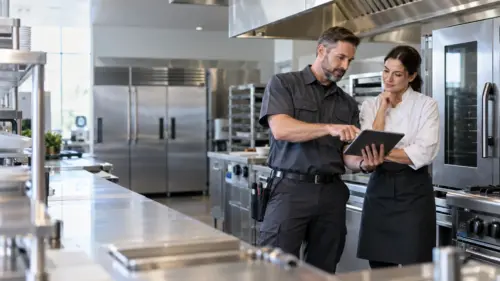
A walk-in goes down on a Friday night and the restaurant calls you, not the manufacturer. Bella FSM is commercial food equipment service software that keeps the history for every fryer, oven, and cooler in one place, builds the planned visits your contracts promise, and gets a technician to the site with the right part already on the truck.
Service history per unit
Planned maintenance contracts
Truck stock tracking
Walk-in cooler
Back in service · 2h 14m
Next planned visit
Fryer PM · 12 kitchens
Per-Unit HistoryMake, model, serial, repairs
Planned VisitsContracts build themselves
Mobile Field AppPhotos, parts, signatures
Truck StockParts counted in real time
In plain English
What is commercial food equipment service software?
Commercial food equipment service software is a cloud system that service companies use to run planned maintenance, repairs, and parts for the fryers, ovens, ranges, dishmachines, ice machines, and walk-in coolers their customers cook and serve with. It holds the history of each unit by make, model, and serial number, builds the next contract visit without anyone having to remember it, gets the right technician to a callout, and turns finished work into a signed estimate or a paid ticket before the truck leaves the lot.
Independent service techs
For a one-truck operation it means knowing which kitchens are due this month and leaving with the part that unit actually takes.
Multi-truck service companies
For a larger shop it means one board covering every technician, every open callout, and every agreement coming up for renewal.
Built for kitchen equipment work
Restaurant equipment maintenance software replaces the clipboard and the callback list.
The reality
Kitchen equipment fails at the worst hour
- A cooler going warm is a food-safety problem before it is a repair
- Every kitchen has a dozen units from six different manufacturers
- Service agreements promise visits on a fixed cycle
- Emergency calls land in the middle of planned work
- The right gasket, igniter, or contactor decides a one-trip fix
What goes wrong
Paper tickets lose the history
- Nobody can say what was done to that fryer eight months ago
- A contract visit slips and the customer notices before you do
- The tech arrives, diagnoses, and drives back for the part
- Truck stock is a guess until somebody counts the van
- Finished work sits unbilled while the paperwork catches up
With Bella FSM
One record per unit, one board per day
- Every unit carries its own repair and parts history
- Contract visits generate themselves on the agreed cycle
- The tech reads the last three visits before pulling up
- Parts come off truck stock as they are used
- Work is priced and signed for on site
Built for kitchen service companies
What commercial kitchen equipment service software has to handle.
Kitchens run long hours and break under load. Commercial kitchen equipment service software has to cover the planned work, the emergency callout, and the parts that decide whether either one gets fixed in a single trip. A kitchen equipment service software platform that handles only one of the three leaves the other two sitting on paper.
Planned Maintenance Cycles
Set a service agreement up once on a monthly, quarterly, or seasonal cycle. Each visit is created for you at the right interval and assigned to a technician who knows the site.
Asset Records For Every Unit
Each fryer, combi oven, ice machine, and reach-in gets its own record. Manufacturer, model, serial, install date, warranty status, and every repair it has ever had.
Parts and Truck Stock
See what is on each van before promising a same-day fix. Parts consumed on a job come off stock automatically and land on the customer ticket.
Drag-and-Drop Day Planning
Move a technician onto a down cooler without unpicking the rest of the day. Everyone's workload, location, and skills sit on one board you can rearrange in seconds.
Mobile App for Service Techs
The full unit history, the checklist, the parts list, and the customer signature all live on the phone already in the technician's pocket.
Estimates and On-Site Payment
Price the repair in front of the customer, capture approval on the screen, and take the card before you pack up. QuickBooks stays in step with the books.
Planned Maintenance
Start Free Trial
Food service equipment maintenance software for cycles that hold
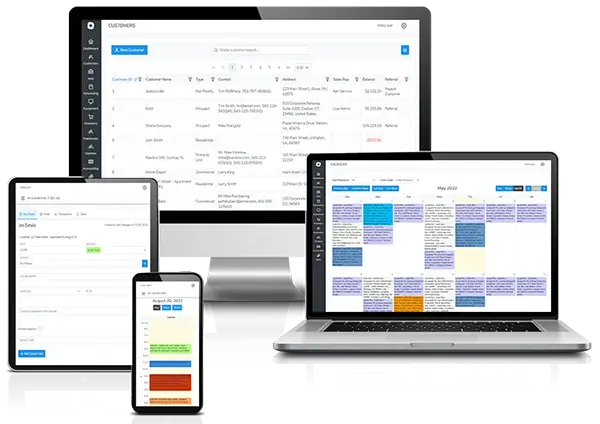
Planned maintenance is the revenue you can forecast, and it is the first thing that quietly falls apart when the week gets busy. This is where food service equipment maintenance software earns its keep. Bella FSM builds each visit from the agreement itself, so a quarterly fryer boil-out or a monthly ice machine clean happens because the system created it, not because someone remembered.
Food service equipment software that creates the next visit for you
- Monthly, quarterly, semi-annual, or custom cycles per agreement
- Visits generated at the right interval for every site on the contract
- Renewal dates surfaced before an agreement lapses
Due dates visible across every kitchen you cover
- One view of what is due this week, this month, and overdue
- Reminders to the kitchen manager before the technician arrives
Repairs and Tickets
Explore work order software
Restaurant equipment repair software for one ticket per callout
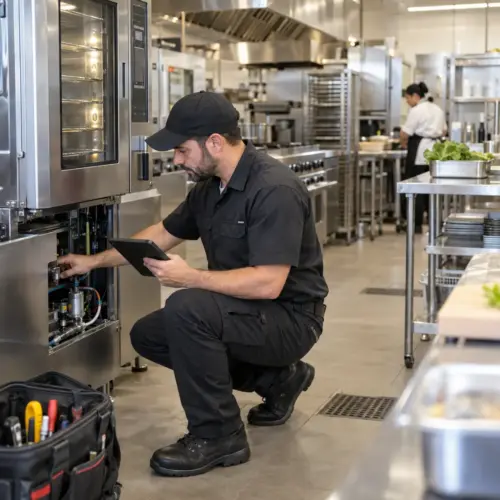
A repair is rarely one visit. There is a diagnosis, a part on order, a return trip, and a manager who wants to know when the line will be whole again. Good commercial food equipment repair software keeps all of that on a single ticket, so nothing is retold from memory and nothing gets billed twice.
Commercial kitchen equipment repair software for multi-visit jobs
- Diagnosis, ordered parts, and return visits held on one job record
- Status visible to the office while the part is still in transit
- Warranty claims tracked against the unit, not the invoice
Parts and labor logged before the van pulls away
- Time on site and parts fitted captured against the ticket
- Customer signature taken on the technician's phone
The Day's Work
Explore service scheduling software
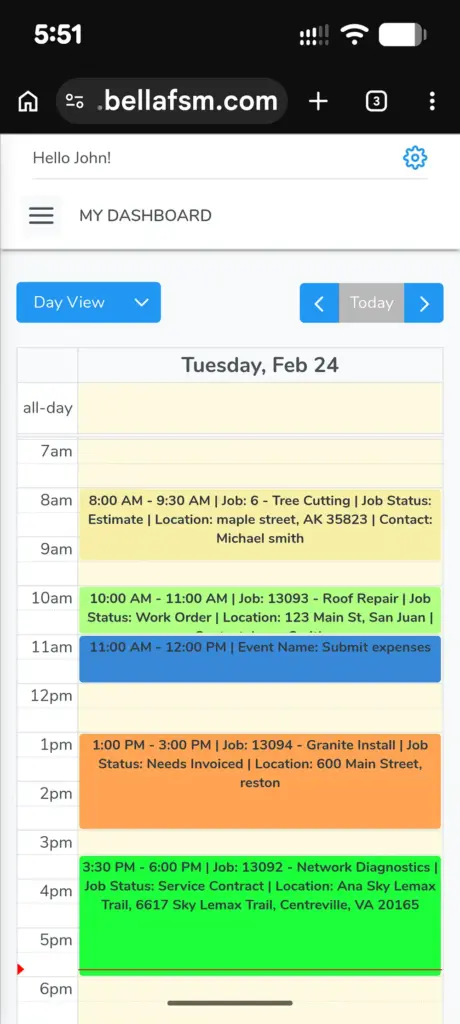
Urgent callouts and planned visits on one board
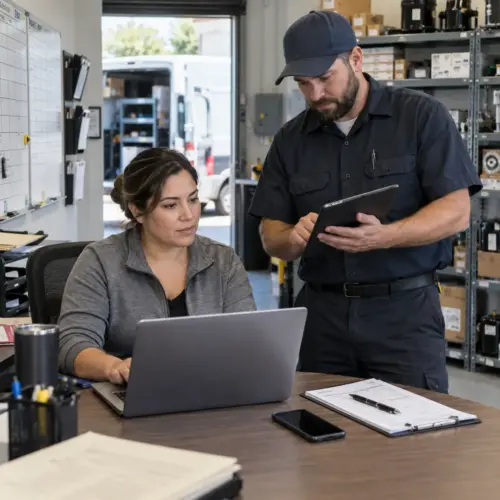
A down fryer at eleven in the morning is a now problem, and the planned work you promised three other kitchens does not move itself out of the way. Teams searching for food service equipment repairs dispatching software are usually trying to solve exactly this collision, and Bella FSM puts both kinds of work on one board so you can triage without losing the rest of the day.
A down fryer gets worked into today without a rebuild
- Drag an urgent call in and everything else shuffles visibly
- Live view of where each technician is and what they are on
- The customer gets an arrival window that is actually true
Technician skills matched to the equipment on site
- Filter by refrigeration, gas cooking, steam, or warewash experience
- Send the job to the assigned phone and confirm it was seen
In the Field
Start Free Trial
Commercial food equipment field service software on every tech's phone
The useful moment is the one where a technician is standing in front of a unit deciding what to do next. Everything that helps at that moment, the last three visits, the model number, the parts on the van, belongs on the phone already in their hand rather than in a binder back at the shop.
Full service history read at the unit, not at the office
- Prior repairs, fitted parts, and notes for that exact serial number
- Manuals and wiring diagrams attached to the asset record
- Works on a phone in a walk-in where signal is poor
Photos and customer signatures captured at the equipment
- Before and after photos filed against the unit automatically
- Checklists with required fields so nothing gets skipped
Accounts and Reporting
Explore customer record features
Food equipment service management software for accounts, quotes, and payment
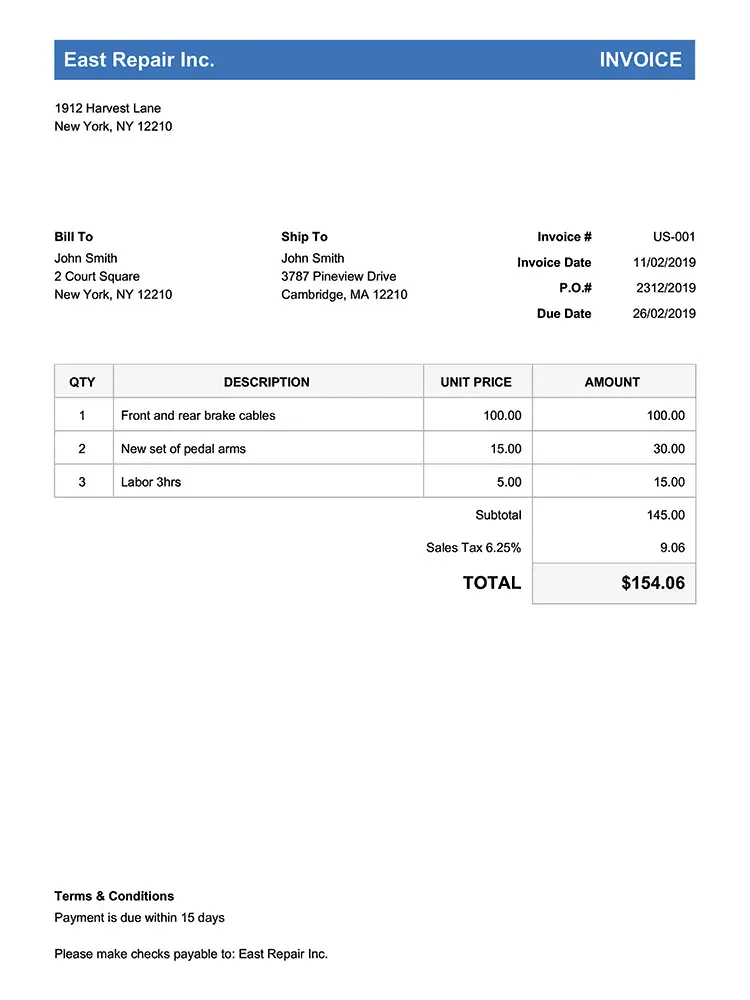
Most of a service company's money leaks between finishing a job and getting paid for it. Work sits unpriced, a quote waits for a callback, and a chain customer asks for a cost summary across nine locations that nobody can produce quickly. That is the gap this side of commercial food equipment service software closes.
One record per customer, site, and piece of equipment
- Chain accounts rolled up across every location you cover
- Contacts, purchase orders, and site access notes on the account
- Cost and repeat-failure reporting per unit and per site
Estimates signed off before parts are ordered
- Quote a repair or a replacement and get approval on the screen
- Card payment taken on site and synced to QuickBooks
Who it's for
Built for the companies that service commercial kitchens.
The work looks different at one truck than it does at twelve, but the underlying job is the same: know the equipment, show up when you said, and fix it in one visit. Commercial food equipment service software should fit all three of these shops without being configured into something unrecognisable.
Independent service techs
Owner-operators covering a handful of restaurants who need to look as organised as the national service networks without the overhead.
Most Popular
Multi-truck service companies
Established shops running several technicians against a book of service agreements, chain accounts, and same-day emergency work.
Dealer service departments
Equipment dealers and distributors running a service arm alongside sales, with warranty work and installs on the same board.
Frequently Asked
Common questions from kitchen equipment service companies.
What does commercial food equipment service software actually do?
It is a cloud system built for companies that maintain and repair the cooking, refrigeration, and warewashing equipment in restaurants and other kitchens. It stores the history of every unit by serial number, generates the visits your service agreements promise, gets technicians to callouts, and prices the finished work on site.
How does restaurant equipment service software save money?
Most of the saving comes from trips you no longer make. When a technician can read the unit history and the van stock before leaving, more jobs finish in one visit. Planned cycles also catch a failing compressor or a worn gasket while it is still a service call rather than a replacement.
Can it improve food safety and equipment uptime?
Yes, and that is much of the point of restaurant equipment maintenance software. Planned visits happen on their cycle rather than when somebody remembers, and every completed checklist is a time-stamped record your customer can show a health inspector. Repeat-failure reporting flags the unit that keeps going down, which is usually the one worth replacing rather than repairing again.
How does it handle an emergency callout during planned work?
This is the collision commercial food equipment service software has to survive. Urgent calls and planned visits sit on the same board, so you can drag the emergency in and see what it displaces. Technician skills, current location, and workload are all visible, and the reassigned job goes to the right phone with the customer notified of the new window.
How do I choose the right software for my service company?
Start with the work you actually do. If service agreements are most of your revenue, test how the system builds recurring visits. If parts decide your first-trip fix rate, test the stock tracking. The best commercial food equipment service software for you is the one that fits your busiest week, so trial it during one.
Does it track parts and truck stock?
Yes. Each van carries its own stock list, parts come off that list as technicians use them on a job, and low counts are flagged before the shelf is empty. Parts fitted on a ticket flow through to the customer's priced work, so nothing gets fitted and then forgotten at the end of the month.
Run a tighter service operation
Put your next kitchen service call on one system.
Free 14-day trial. No credit card required. Cancel anytime. Support from people who understand what a Friday night callout actually costs a restaurant.
What you get on day one
- Asset records for every unit you service
- Service agreements that build their own visits
- Drag-and-drop day planning for the whole team
- Mobile app for any phone or tablet
- Truck stock tracking and parts on tickets
- QuickBooks sync and on-site card payment