
Grow Your Business
Roofing CRM Software
Roofing CRM software that keeps every estimate, property, and follow-up on one record.
A roof is a long sale. The first call, the inspection photos, the adjuster's number, the proposal, and the three follow-ups that close it can span weeks, and most of that history lives in one estimator's phone. Bella FSM puts it on the customer record instead, so the office, the crew, and the owner all see the same roof.
Every roof on one record Follow-up reminders on every estimate Photos and claim files per property
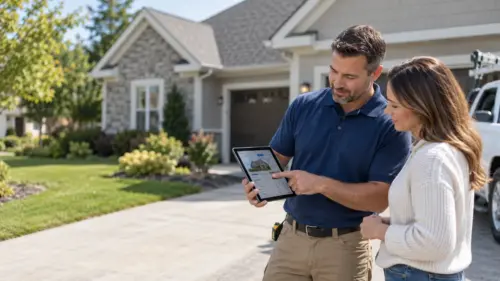
Estimate sent
Follow-up due 9:00 AM
Property record
2 roofs · 1 open claim
In plain English
Roofing CRM software, defined
Roofing CRM software is a customer database built around the property rather than the contact. Each record holds the address, the roof's pitch, material, and age, inspection photos, every estimate sent with its follow-up date, insurance claim and adjuster details, and each job done on that roof. Estimators, the office, and the crew read the same record, so a lead does not stall when the person who walked the roof is on another one.
Owner-operators
For a one-crew company, it means the follow-up list writes itself. Nobody scrolls back through texts for the homeowner who asked for a price two weeks ago.
Multi-crew roofing companies
For a company with several estimators, it means every open proposal sits in one pipeline the owner can read in a minute, and a claim file stays when a salesperson leaves.
Bella FSM is roofing CRM software sized for that whole range, from one truck to a sales team. The 14-day trial needs no credit card.
56% of surveyed small businesses were owed money on unpaid invoices, averaging $17,500 each, and the customer record is where an owner sees who owes what before it reaches 30 days. Source: 2026 State of Small Field Service Businesses
Built for a long sales cycle
CRM for roofing contractors that keeps an estimate from going cold
A spreadsheet and a phone full of photos cannot run a pipeline.
The reality
Every roof is a weeks-long sale
- A lead needs an inspection, photos, and a written proposal before anyone talks price
- Insurance jobs add a claim number, an adjuster, and a supplement to the file
- A hailstorm can triple estimate volume in a single week
- Commercial accounts have several buildings and several decision makers
- Homeowners compare two or three bids and go quiet for days
What goes wrong
A notebook loses the deal
- Last week's estimates die quietly while this week's storm calls get the attention
- Inspection photos stay on the estimator's phone and never reach the crew
- The adjuster calls back and nobody in the office can find the claim number
- A signed proposal sits in a folder for days before it is scheduled
- When an estimator leaves, the pipeline leaves with them
With Bella FSM
One record from first call to final inspection
- Every estimate carries a follow-up date the office can see
- Photos, measurements, and documents attach to the property, not a phone
- Claim numbers and adjuster contacts live on the job record
- An approved estimate becomes a scheduled job without re-keying
- The whole pipeline stays with the company, whoever sold it
What a roofing CRM should handle
Key features of Bella FSM roofing CRM software
Built for property records and estimate follow-up, not for a generic sales funnel. A contact list is easy. Keeping hundreds of roofs, open proposals, claim files, and commercial accounts straight across an office and a field crew is the hard part, and it is what a roofing company CRM has to do every day.
Property-Level Customer Records
One record per address with the roof's material, pitch, age, and layers, plus every visit made to it. A repeat call pulls up the whole history before anyone drives out.
Estimate Status & Follow-Up Reminders
Every estimate carries a status, from sent to approved to scheduled, and a follow-up reminder assigned to someone. The owner sees which proposals are still open without asking anyone.
Roof Photos & Documents on the Record
Inspection photos, drone shots, measurements, and signed proposals attach to the property. The crew sees what the estimator saw, and the file is there for the warranty call years later.
Insurance Claim & Adjuster Tracking
Claim number, carrier, adjuster contact, and meeting date live in custom fields on the job, with the supplement logged in the notes. When the adjuster calls, whoever answers has the file open in seconds.
Multi-Property Commercial Accounts
A property manager with a dozen buildings is one account with a dozen roofs. Each building keeps its own history, contacts, and open work while billing rolls up to the account.
Mobile Access From the Roof
Estimators pull up the record, add photos, and send the proposal from the driveway. Crews check the job notes from the ladder. Nothing waits for someone to get back to the office.
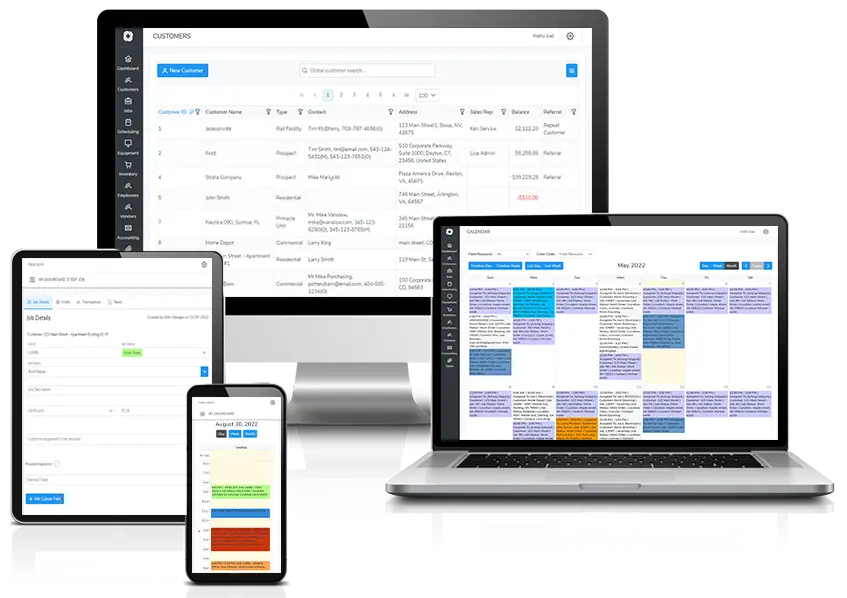
One roof, one record
Customer & Property Records
Start Free Trial
One roofing CRM record for the customer, the property, and every roof on it
The record is built around the address. A homeowner may own one roof; a property manager may own forty. Bella FSM keeps a record per property, with the roof's specs, past work, photos, and contacts, and links it to the account that pays the bill. When the same address calls three years later for a leak, the crew knows the material, the last repair, and who signed the original proposal before the truck leaves.
Roof details stored where the crew can see them
- Material, pitch, squares, layers, and age on the property record
- Gate codes, access notes, and dog warnings that carry to every visit
Job history that outlives the salesperson
- Every estimate, job, invoice, and note in date order
- Warranty dates and what was covered
- Search by address, phone, claim number, or contact name

No estimate goes untouched
Estimate Pipeline
Start from a roofing estimate template
Estimates tracked from the site visit to the signed proposal
Most roofing estimates are lost after the visit, not during it. A roofing CRM system gives every proposal a status and a follow-up reminder, so the next call happens on a schedule instead of when someone remembers. Bella FSM lets you set the reminder as the estimate goes out, shows the owner every proposal still open, and turns the approved one into a job with a click. Our roofing estimate follow up playbook covers the five-touch sequence in detail.
Follow-up reminders set when an estimate goes out
- Reminders for the confirmation text, next-morning call, and 72-hour nudge
- Assigned to the estimator, visible to the office
Open estimates the owner can read in one morning look
- Estimate status from sent to approved to scheduled
- Open proposals sorted by date so the oldest are not buried
- Every call and text logged as a note on the record
Claim file on the job
Insurance & Storm Work
Start Free Trial
Insurance claims, adjusters, and supplements tracked on the roofing job record
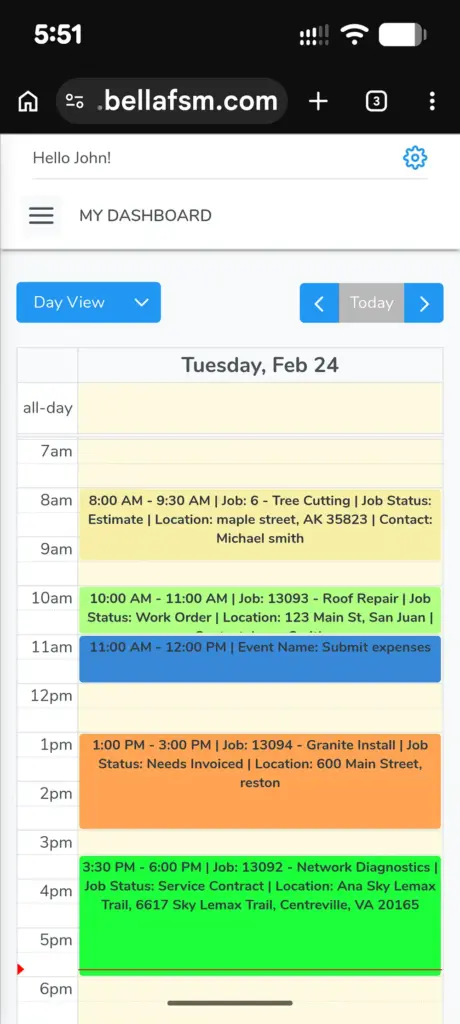
Storm work is where a paper file breaks. After a hailstorm the phone rings for a week, every job has a claim number and an adjuster meeting, and half of them will need a supplement. Bella FSM keeps the carrier, the claim number, and the adjuster's contact and meeting date in custom fields on the job itself, with supplement notes alongside, so the office can answer the adjuster without calling the estimator off a roof.
Claim numbers and adjuster contacts on the property
- Custom fields for carrier, claim number, and adjuster on the job
- Adjuster meeting on the calendar with the estimator assigned
- Supplement submitted, approved, or denied logged in the job notes
Storm-week volume without losing last week's estimates
- New storm leads land in the same pipeline as retail estimates
- Older proposals keep their follow-up dates and stay visible
Signed in the driveway
Photos, Documents & Mobile
Start Free Trial
Inspection photos, measurements, and signed documents captured in the field
The proposal that goes out the same day is the one that closes, and that only happens when the estimator can finish it from the truck. Bella FSM's mobile CRM for roofing companies lets the estimator attach inspection photos, enter measurements, build the estimate, and collect a signature on a phone or tablet, with every file landing on the property record instead of in a camera roll.
Photos and signatures attached to the property, not a phone
- Inspection photos uploaded from the roof
- Measurement notes and material lists on the estimate
- Digital signature on estimates and invoices
- Crews read the same photos and notes from the ladder
- Documents searchable years later for warranty and resale
Signed means scheduled
From Record to Job
Start Free Trial
Roofing CRM data that flows into the job, the crew calendar, and the invoice
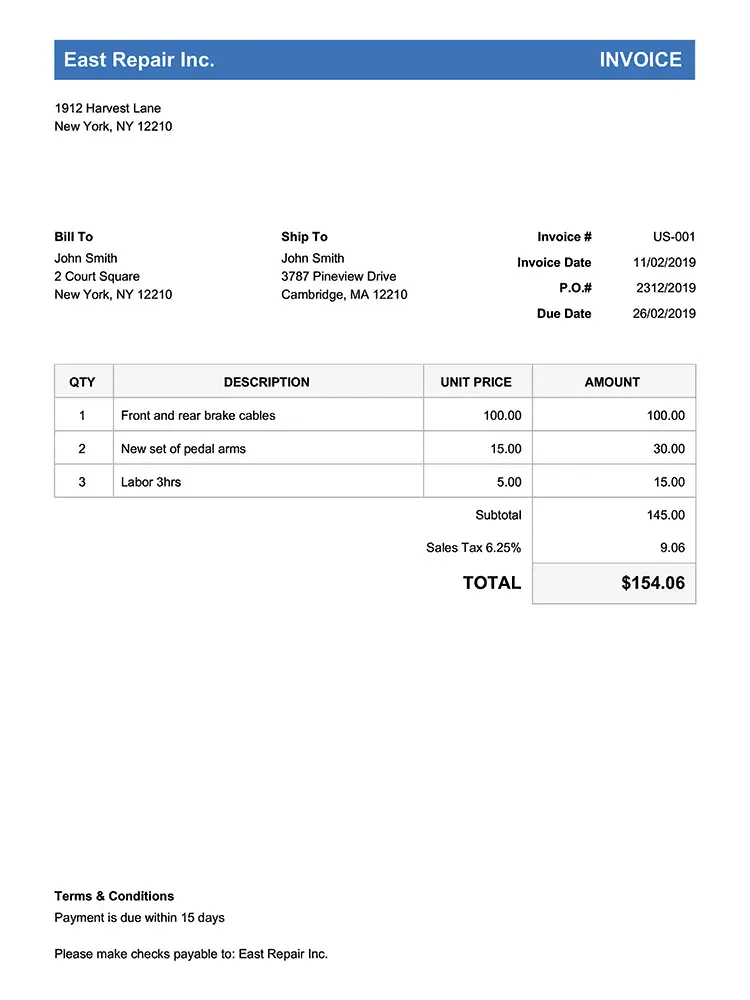
A signed proposal that sits in a folder for ten days before it is scheduled costs referrals. In Bella FSM the customer record, the estimate, the job, and the invoice are one chain. Approving the estimate creates the job, the job goes on the crew calendar with the material list attached, and the finished job becomes the invoice with deposits and progress payments already accounted for. Nothing is typed twice, and the record shows what is owed on every roof.
Approved estimates become jobs without re-keying
- One click from signed proposal to scheduled job
- Material list and photos ride along to the crew
- Deposit collected against the estimate, balance on completion
- Invoice built from the approved line items
- QuickBooks Online sync for the books
16% same day
Pro Tip · Follow Up Same Day
Why same-day estimate follow-up wins more roofing jobs
Only 16% of roofing contractors consistently follow up on unsold estimates the same day, per the 2026 industry survey cited in our follow-up playbook. The other 84% hand over a number and leave the close to chance. A follow-up task that fires the moment the proposal is sent puts you in the first group without anyone having to remember.
Start Free Trial
Frequently Asked
Common questions about customer records and estimate follow-up
What is roofing CRM software?
It is a customer database built for how roofs are sold and serviced. Each property gets a record holding the roof's specs, inspection photos, estimates with their follow-up dates, insurance claim details, and the full job history. Bella FSM keeps that record in sync between the estimator in the field, the office, and the crew on the roof.
What makes the best roofing CRM different from a general sales CRM?
A general sales CRM is built around a contact and a deal. A roofing contractor CRM is built around a property and the work done on it. That means fields for pitch, material, and squares, a place for claim numbers and adjuster meetings, photos attached to the address, and an estimate that turns into a scheduled job and an invoice instead of stopping at "closed won."
Can a CRM for roofing contractors track insurance claims and adjusters?
Yes. Bella FSM stores the carrier, claim number, adjuster name and phone, and the adjuster meeting date in custom fields on the job record, and logs the supplement in the job notes from submitted to approved. When the adjuster calls, whoever picks up can open the claim and answer without tracking down the estimator. Storm leads and retail estimates share one list, so nothing from last week gets buried.
Does the roofing CRM work on a phone from the roof?
It does. Estimators open the property record on a phone or tablet, upload inspection photos, enter measurements, build the proposal, and collect a signature in the driveway. Crews read the same photos and access notes from the job site. Everything saves to the property record, so the office sees it the moment it is entered rather than at the end of the day.
Is there a free CRM for roofing companies?
Free spreadsheets and generic contact apps can hold names and numbers, but they cannot attach photos to a property, create follow-up tasks when an estimate is sent, or turn a signed proposal into a scheduled job, so they usually cost more in lost bids than they save. Bella FSM offers a free 14-day trial with no credit card, so you can run real estimates through it first.
Does the CRM connect to estimates, scheduling, and invoicing?
Yes, and that is the difference between a CRM and a contact list. In Bella FSM the customer record, the estimate, the job, the crew calendar, and the invoice are one chain. Approving an estimate creates the job, the job lands on the calendar with its material list, and the finished job becomes the invoice with the deposit already applied. QuickBooks Online sync handles the books.
Start Tracking Every Roof
Give every roofing lead a record and every estimate a follow-up date.
Free 14-day trial. No credit card required. Cancel anytime. Load your open estimates, attach the photos, and watch the follow-up list build itself.
What you get on day one
- One record per property with the roof's specs and history
- Estimate pipeline with automatic follow-up tasks
- Insurance claim and adjuster tracking on the job
- Photos, measurements, and signatures from the field
- Signed estimates that become scheduled jobs and invoices
- U.S.-based support that knows field service