
Grow Your Business
Bella FSM vs Jobber · Head to Head
Bella FSM vs Jobber, compared for growing service businesses.
Choosing the right field service management software can directly impact how efficiently your business schedules jobs, manages technicians, and collects payments. This guide compares Bella FSM vs Jobber across features, scheduling tools, reporting capabilities, and operational flexibility.
7 categories compared
Job-centric workflow
Free 14-day trial
Head to head
7 categories compared
Best fit
Growing service teams
The Short Answer
Is Bella FSM a Better Alternative to Jobber?
The best fit depends on the needs of your business. The quick version comes first, and the full breakdown follows below.
Built to Grow
Bella FSM may be the better choice if you:
- ✓ want flexible scheduling and dispatch tools
- ✓ need customizable reporting and analytics
- ✓ operate a growing service company with complex workflows
Jobber may be a good option if you:
- ✓ prefer a simple interface
- ✓ operate a smaller service business
- ✓ want a widely recognized software platform
Both systems provide core field service management functionality, but businesses seeking greater flexibility and customization often consider Bella FSM when evaluating Jobber alternatives.
Side by Side
Feature Comparison: Bella FSM vs Jobber
| Feature | Bella FSM | Jobber |
|---|---|---|
| Ease of Use | Simple interface designed for quick adoption | User-friendly interface |
| Scheduling & Dispatch | Flexible scheduling with technician and resource management | Calendar-based scheduling tools |
| Customer Management | Detailed customer profiles with full service history | Customer records and job history |
| Estimates & Invoices | Estimate to job to invoice workflow | Estimate and invoice generation |
| Reporting | Customizable reporting and operational insights | Standard reporting dashboards |
| Workflow Flexibility | Customizable workflows for growing service businesses | More limited workflow customization |
| Mobile Access | Mobile access for technicians in the field | Mobile apps for technicians |
The sections below cover each category in more detail.
Platform Overview
Overview: Bella FSM vs Jobber
Both Bella FSM and Jobber are designed to simplify field service operations by bringing scheduling, dispatching, customer management, and invoicing into one platform. Both systems aim to simplify daily operations so business owners and technicians can spend less time on administrative tasks and more time serving customers. Where the platforms begin to differ is in how they support businesses as they grow.
The Bella FSM approach
Bella FSM is designed to be easy to use from day one while still providing the flexibility needed as operations become more complex.
Service businesses can start with simple scheduling and invoicing tools, then take advantage of additional features such as customizable workflows, advanced reporting, and resource management as their company expands.
The Jobber approach
Jobber also provides an easy-to-use interface for managing day-to-day service work, particularly for businesses with straightforward scheduling and operational needs.
Because of this, companies often compare Bella FSM and Jobber when deciding which platform will support both their current needs and their long-term growth.
Category 1 of 6
Scheduling and Dispatch
Scheduling is one of the most important functions for any field service business.
Scheduling in Bella FSM
Bella FSM provides a simple scheduling interface that allows businesses to quickly assign jobs, manage technicians, and track upcoming appointments. As operations grow, the platform also offers additional tools that help businesses coordinate larger teams, manage resources, and optimize schedules.
Scheduling in Jobber
Jobber also provides scheduling tools through a calendar-based system, allowing businesses to assign jobs and organize technician schedules.
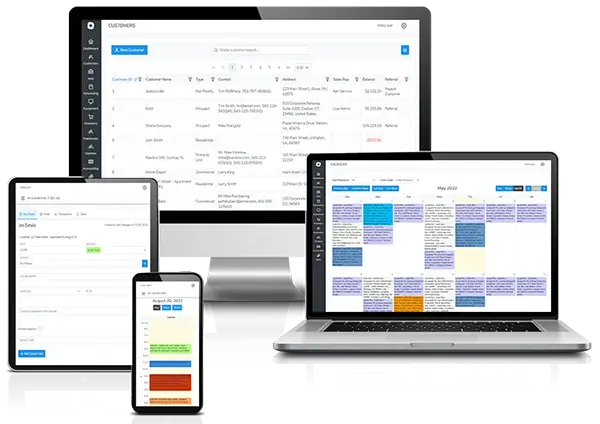
Both platforms help businesses manage appointments efficiently, but Bella FSM offers additional flexibility for companies that expect their scheduling needs to evolve over time.
Category 2 of 6
Job-Centric Workflow
One of the key advantages of Bella FSM is its job-centric workflow design. In many field service platforms, workflows begin with creating a customer record or building an estimate before a job can be scheduled. Bella FSM takes a different approach: the platform is designed around the job as the central operational unit.
What you can do from one job screen
- ✓ create a new customer
- ✓ add contacts
- ✓ assign service locations
- ✓ generate estimates
- ✓ convert estimates into invoices
- ✓ schedule technician visits
- ✓ add products and services
- ✓ track job activity and history
Why the job screen matters day to day
This design allows teams to manage an entire service workflow from one place without navigating through multiple modules or screens.
For many service businesses, this job-centric workflow simplifies daily operations and reduces the number of steps required to manage field service work.
Category 3 of 6
Customer Management
Customer management tools help service companies track relationships, maintain service histories, and organize contact information.
Customer records in Bella FSM
Bella FSM provides centralized customer profiles where businesses can store customer details, job history, service notes, and billing information.
This allows service teams to quickly access information when scheduling work or communicating with customers.
Customer records in Jobber
Jobber also provides customer profiles that track service records and invoices.
Both platforms provide essential customer management features, but Bella FSM offers greater flexibility for managing operational data and business workflows.
Category 4 of 6
Estimates, Invoices, and Payments
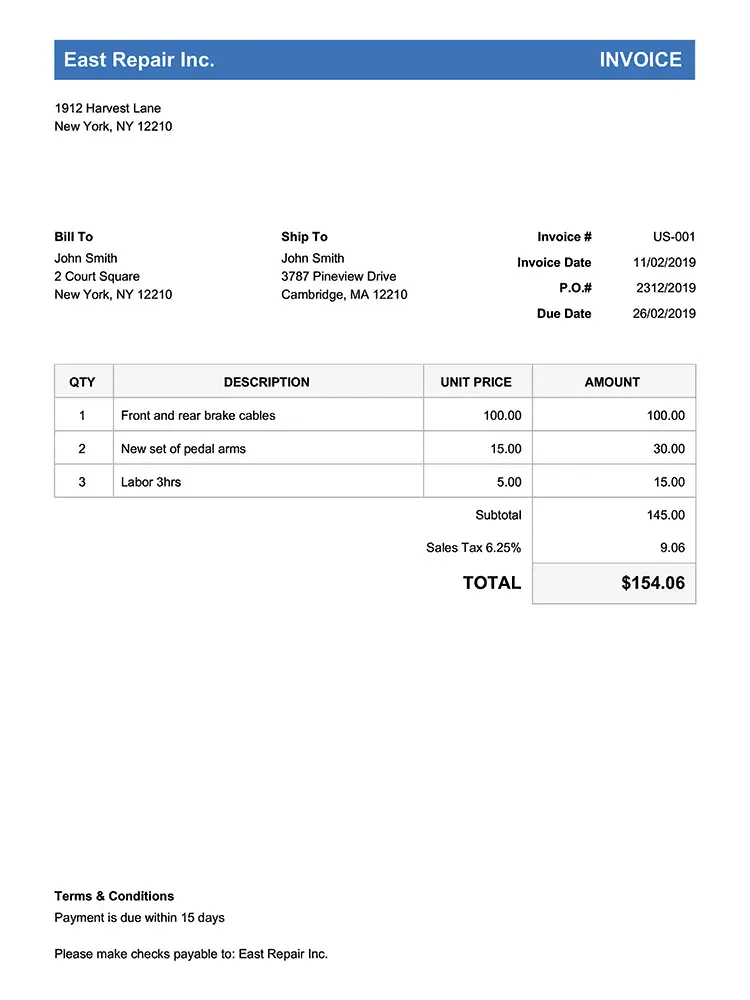
Both Bella FSM and Jobber support the full billing lifecycle, from estimate creation to payment collection.
Estimates and invoices in Bella FSM
The system allows service businesses to manage financial workflows directly within the platform. With Bella FSM, businesses can:
- ✓ create estimates
- ✓ convert estimates to jobs
- ✓ generate invoices
- ✓ track payment activity
Estimates and invoices in Jobber
Jobber provides similar capabilities, allowing businesses to create estimates, schedule jobs, and collect payments online. For many service companies, both platforms offer the essential tools needed to manage billing and customer payments.
Category 5 of 6
Reporting and Business Insights
Reporting tools can help service companies identify operational improvements and track business performance.
Reporting in Bella FSM
Bella FSM provides customizable reporting tools that allow businesses to analyze job performance, revenue trends, and operational efficiency.
These insights can help business owners make informed decisions about scheduling, staffing, and growth strategies.
Reporting in Jobber
Jobber includes built-in reporting dashboards that provide visibility into revenue and job activity.
While these reports are useful for many businesses, companies that require deeper operational insights may benefit from more customizable reporting capabilities.
Category 6 of 6
Pricing Considerations
Pricing is often a key factor when comparing platforms in this category.
How Bella FSM prices
Bella FSM is designed with a scalable pricing structure, allowing businesses to start with the tools they need and expand their capabilities as their operations grow.
This approach helps service companies adopt the platform easily while ensuring the software can continue supporting their workflows as their team, job volume, and operational complexity increase.
How Jobber prices
Jobber typically uses tiered subscription pricing, where businesses pay more as they add users or require additional features.
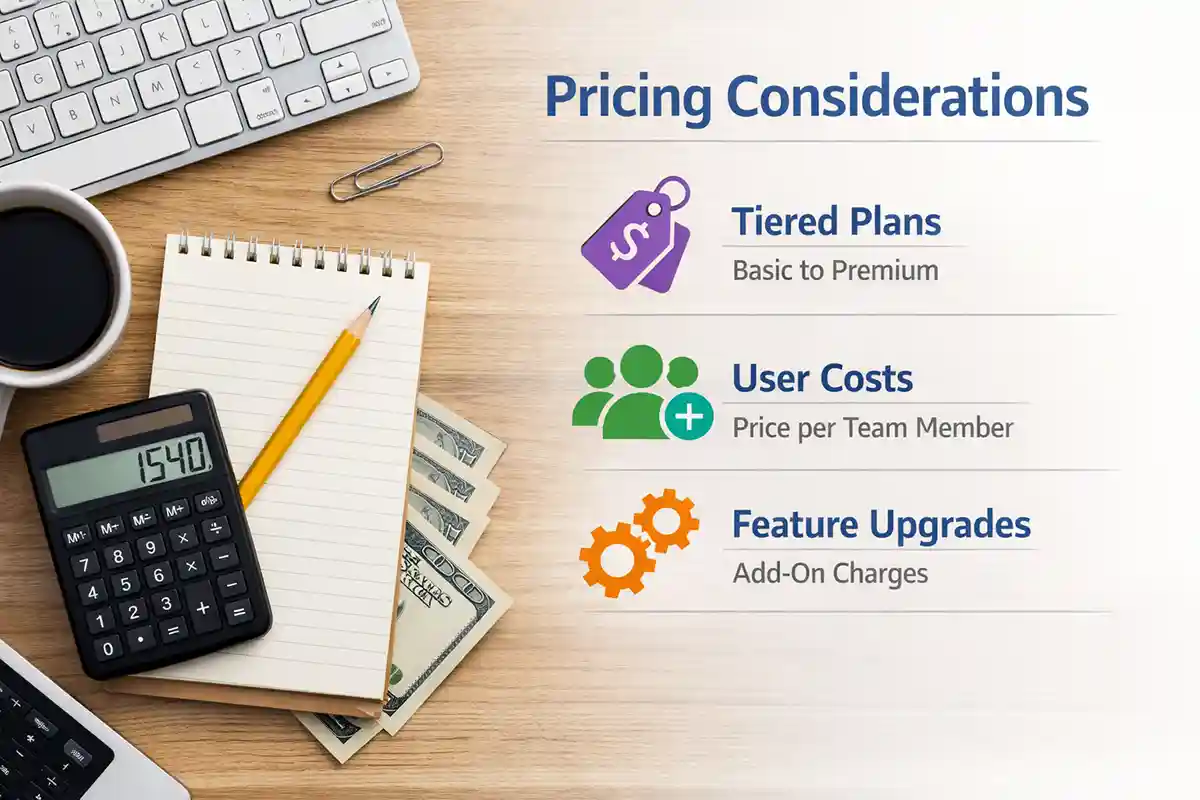
Because pricing structures may change, businesses evaluating software should review the latest pricing details directly from each provider when making comparisons.
Evaluating Alternatives
Why Businesses Look for Jobber Alternatives
Businesses searching for Jobber alternatives, Jobber competitors, or software similar to Jobber often evaluate several platforms such as Bella FSM, ServiceTitan, Housecall Pro, and FieldPulse. Many service businesses start researching Jobber alternatives when they want software that remains simple to use while offering additional flexibility as their operations grow. Companies often compare platforms based on:
Ease of use
Owners want a system the crew will open without being chased. The harder test is whether it stays simple after you add trucks and technicians.
Scheduling flexibility
A calendar that fits a two-person operation can strain at ten. The best Jobber alternative handles technicians, resources, and shifting priorities without workarounds.
Reporting capabilities
Standard dashboards answer standard questions. Companies that want to dig into job costs and revenue trends usually need reports they can shape themselves.
Scalability
A cheaper Jobber alternative on day one is not always cheaper in year three. Pricing that scales with your team beats switching platforms later.
Bella FSM is designed to provide a balance between simplicity and flexibility, allowing businesses to manage their daily operations easily while still having access to advanced tools as their company expands. For businesses planning to grow their service team, manage more jobs, or analyze performance data more deeply, Bella FSM is frequently evaluated as an alternative to Jobber.
Built for Your Trade
Industries Supported by Bella FSM
Bella FSM is designed to support many types of service businesses, including:
HVAC contractors
electrical contractors
plumbing companies
pest control businesses
cleaning services
landscaping companies
If you are comparing platforms, you may also want to explore solutions designed specifically for your industry.
Bella FSM vs Jobber
Frequently Asked Questions
Is Bella FSM better than Jobber?
Bella FSM and Jobber both provide field service management tools such as scheduling, invoicing, and customer management. Bella FSM focuses on flexible workflows and customizable reporting, while Jobber emphasizes a simple user interface. For growing companies that need their platform to adapt to how they already work, Bella FSM is often the better long-term fit.
What are the best Jobber alternatives?
Some commonly evaluated Jobber alternatives include Bella FSM, ServiceTitan, Housecall Pro, and FieldPulse. The best Jobber alternative for a small business is usually the platform that stays simple to use while adding flexibility as the company grows. Many owners also look for a cheaper Jobber alternative that does not raise costs at every user tier.
What software is similar to Jobber?
Software similar to Jobber includes other platforms that provide scheduling, dispatching, customer management, and invoicing tools. Bella FSM is one option service businesses weigh when searching for software like Jobber, because it covers the same daily operations while adding customizable workflows, resource management, and reporting that entry-level or free tools usually leave out.
How do I choose field service software?
Businesses typically compare platforms based on scheduling tools, reporting capabilities, pricing structure, and how well the system supports their operational workflow. A practical approach is to shortlist two or three options, run a free trial with real jobs and real technicians, and see which one your team finds easier to use day to day.
Is Bella FSM easier to use than Jobber?
Both Bella FSM and Jobber are designed to be easy to use. Bella FSM focuses on maintaining a simple interface while also allowing businesses to customize workflows and reporting as their operations grow. Its job-centric design also means teams can run an entire job, from estimate to invoice, from a single screen instead of several modules.
Is Jobber vs Bella FSM a common comparison?
Yes. Many service businesses compare Jobber vs Bella FSM when evaluating platforms for scheduling, dispatching, and invoicing. While both provide the core tools, Bella FSM focuses on flexible workflows that are easy for growing service businesses to adopt, so it appears on shortlists alongside Jobber, ServiceTitan, and Housecall Pro on a regular basis.
See It With Your Own Jobs
Try Bella FSM
The best way to evaluate any platform is to see how it works with your real scheduling and dispatch workflows. Start a free trial of Bella FSM and see how easy it is to schedule jobs, manage technicians, and streamline your operations.
What you get on day one
- Job-centric workflow from a single screen
- Flexible calendars for growing teams
- Estimates that convert to jobs and invoices
- Reports you can shape to your questions
- Mobile access for technicians in the field
- Free 14-day trial. No credit card required.