
Grow Your Business
Product Overview
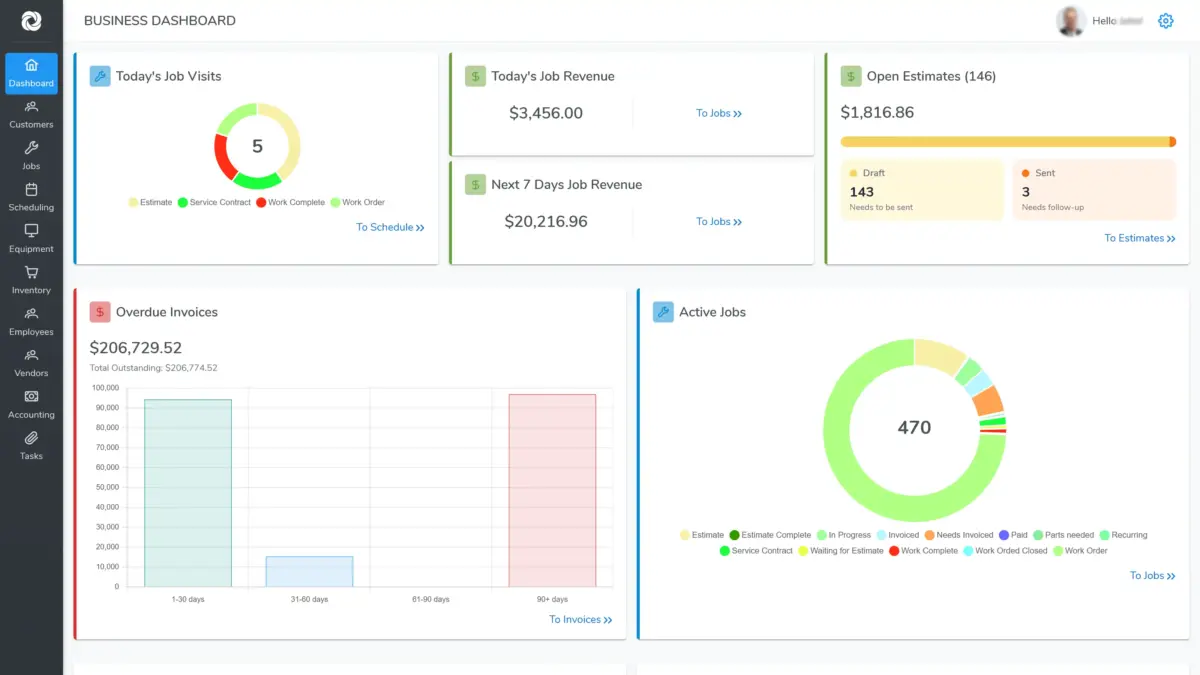
Job management software that runs every job from estimate to payment.
An all-in-one tool for owners and managers of service businesses. Bella FSM gives you the ability to streamline your operations from any computer or mobile device. No expensive and complicated management software or hardware to purchase.
Any computer or mobile device
Nothing to install or maintain
100% up-time last three months
Built for owners and managers
Why running jobs across separate tools quietly costs you money.
The reality
A job is a chain of handoffs
- Every job starts as an estimate and ends as a payment
- Office staff, field crews, and subcontractors all touch the same work
- Costs arrive at different times: labor, parts, vendor bills
- Some work finishes in one visit, other work takes five
- Customers expect a straight answer about their history on the first call
What goes wrong
Disconnected tools hide the truth
- Estimates sit in one tool, bills in another, payroll in a third
- Nobody can say what a job actually cost until long after it closes
- Finished phases go unbilled because the paperwork lags behind
- Subcontractor hours land after the customer has already been charged
- Re-keying the same numbers into accounting invites expensive errors
With Bella FSM
One record carries the whole job
- The same record moves from estimate to work order to bill to payment
- Cost and expense figures update while the work is still open
- Partial billing releases finished phases without waiting for the end
- Subcontractors update their own progress and hours as they go
- A QuickBooks sync removes the second round of data entry entirely
What you get
Benefits of job management software.
Maximize profits by organizing and streamlining your field service business. Save time and money by reducing paperwork and errors, never miss a customer payment, and improve satisfaction with faster response times.
Job Tracking End To End
Follow the work from estimate, to work order, to bill, to payment on a single record. Streamlined tracking whether one visit or multiple visits are needed to complete the work.
Up-To-Date Cost And Expenses
See current job cost and expenses while the work is still open, so partial billing is accurate. Payroll hours, business costs, and customer costs are tracked against the job they belong to.
One-Click Calendar Actions
Drag and drop appointments for quick and easy modifications. Assign color codes to technicians and location zones for visual grouping, and let Google Maps handle directions and route optimization.
Customer And Equipment Records
Track prospects and existing customers with multiple contacts, multiple locations, equipment, and price levels. Search history for any account in seconds to answer questions on the first call.
Employee And Vendor Oversight
Monitor everyone in your company, whether or not they log in — staff without accounts can still be assigned as field resources. Track company tools and trucks, labor hours, and vendor balances.
Custom Terms, Forms And Fields
Industry standard terms and forms are ready to use the day you sign up. Adjust them to match your current process with minimal effort, change the layout of each page, and add as many custom data fields as you need.
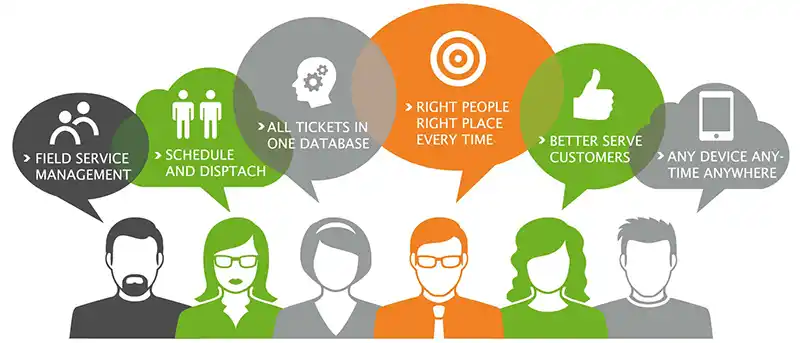
One record, four stages
The job record
Job management from estimate to payment
Easily schedule and update jobs on a record that carries the work all the way through: estimate, work order, bill, payment. Because the numbers live in one place, you can see what a job is costing while it is still open instead of finding out weeks later.
- Follow each job from first estimate through to money received
- View current job cost and expenses for partial billing
- Track payroll hours alongside business and customer costs
- See which work has been paid so revenue is collected on time
- Handle single-visit work and multi-visit work on the same record

Routes optimized by map
Calendar and routing
Booking and routing inside your job management software
Optimize the day with one-click calendar actions instead of phone calls and whiteboards. Drag and drop appointments for quick and easy modifications, group work visually by technician or zone, and let the map decide the driving order.
- Drag and drop appointments to move work in seconds
- Colour codes for technicians and location zones for visual grouping
- Google Maps directions and route optimization built in
- Field personnel assignments visible to the whole office
- Changes reach the crew without a second phone call
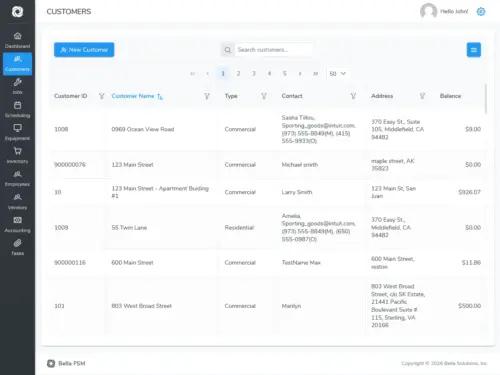
Full history in one search
Accounts and sites
Customer and equipment records that travel with the job
Track prospects and existing accounts in the same place you track the work. Multiple contacts, multiple sites, equipment and price levels all hang off the account, so anyone answering the phone can see what was done last time before the customer finishes the sentence.
- Multiple contacts and multiple locations per account
- Equipment on file at each site with its own service record
- Price levels applied automatically to the right accounts
- Search any account's history in seconds from the office or the field
- Prospect records convert into working accounts without re-entry

Hours captured as worked
People and vendors
Employee, vendor and subcontractor tracking in one system
Monitor everyone who touches a job regardless of the role they play in your company. Staff who never log in can still be assigned as field resources, and the subcontractors and suppliers you rely on get exactly as much access as you decide to give them.
- Assign staff as field resources even without a software login
- Track company property issued to staff: tools, equipment, trucks
- Time tracking that feeds up-to-date payroll information
- Give a subcontractor limited access to update progress and schedule
- Labor hours, balances and transactions recorded per vendor
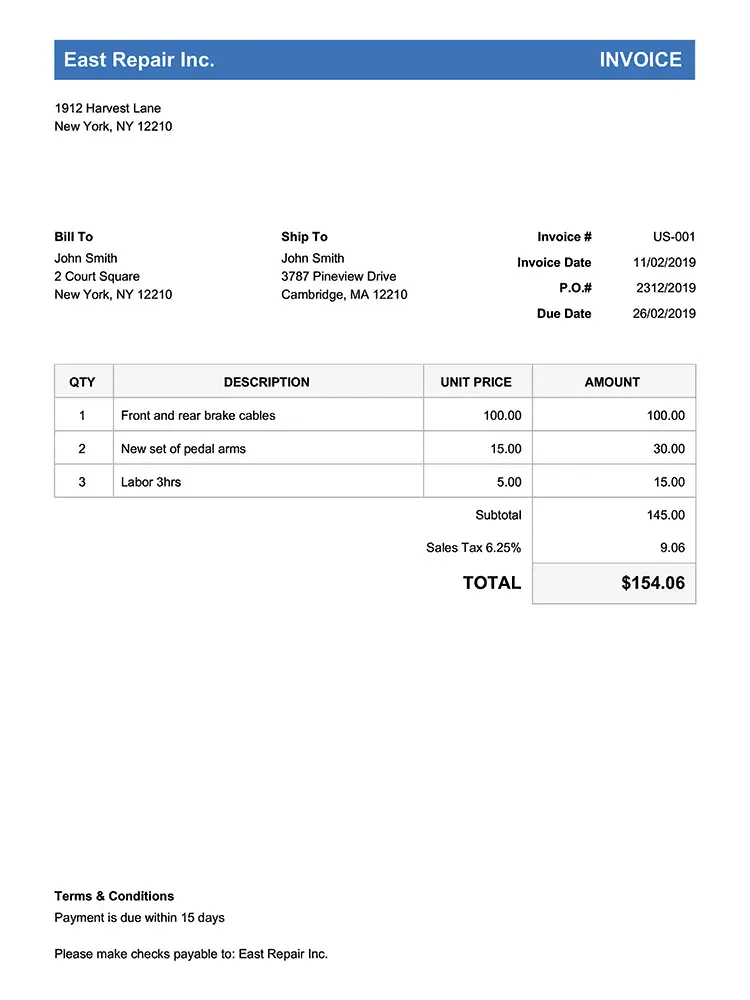
Take payment in the field
Quotes and accounting
Quotes, payments and accounting from the same job record
Robust accounting tools organize small to medium size businesses without a separate system to reconcile. Create the quote, turn it into work, collect on site, and let the numbers land in your books the way you already keep them.
- Create quotes, proposals, work orders and bills for your customers
- Monitor accounts, transactions and price levels in one ledger
- Give an outsourced accountant oversight if you prefer
- Track expenses and cost for job reports as work is completed
- Receive payments in the field instead of waiting on the mail
Built for 40+ Service Industries
Job management software for every trade you run.
The same job record works whether the day is one long install or fourteen short calls. Pick your trade to see how it fits the way you already work.









Frequently Asked
Common questions about job management software.
What is job management software?
Job management software is one system for running service work end to end: the estimate, the booked visit, the work order the crew sees on site, the labor and parts that get consumed, the bill, and the payment that closes it out.
Bella FSM keeps all of that on a single record, so the office and the field are always looking at the same job from any computer or mobile device.
How is job management software different from project management software?
Project tools are built around one large undertaking with phases, dependencies and a long tail of planning. Job tools are built around volume: many customers, many crews, many short pieces of work where the setup cost of a project plan would exceed what the work earns.
If a typical week looks like fourteen calls rather than one build, the job model is the one that fits.
Is there job management software for small businesses?
Yes. Bella FSM was built for small and medium size operations, including the ones where the owner is still on the tools some days and there is no separate operations department.
There is no hardware to buy and nothing to install, so a two-person shop can start on the same system a thirty-person shop runs on and add users as it grows.
Can I try job management software free?
Bella FSM offers a 14-day trial at no cost and without a credit card, and you can cancel at any point. The trial is the full product rather than a cut-down demo.
That means you can load real customers, real work and real numbers into it and judge the fit before committing to anything.
Does Bella FSM work with QuickBooks?
Yes. We have a tool that will integrate with QuickBooks and update your customers, items, and invoices. You have the option of using our accounting exclusively or syncing the two — the choice is yours.
How reliable is Bella FSM?
One of the most critical factors when selecting an online solution to help run your business is the reliability and availability of the website. We are breaking industry records for website up-time.
Over the last three months the measured up-time of our award winning product was 100%.
See it on your own jobs
Put every job on one record, estimate through payment.
Free 14-day trial. No credit card required. Cancel anytime. Load in your own customers and a live week of work, and judge it on your numbers rather than a demo script.
What you get on day one
- One record per job, estimate through payment
- Job cost and expenses that update as work happens
- Drag and drop appointments with map routing
- Accounts, sites, equipment and price levels on file
- Vendor and subcontractor access you control
- QuickBooks sync and payments taken in the field