
Grow Your Business
Garage Door Invoicing Software
Garage door invoicing software that collects payment before the door closes.
Garage door work runs the gamut, from a $150 spring repair to a $5,000 commercial multi-door install. Bella FSM builds a clean, itemized invoice straight from the work order for every job size, captures a signature in the field, and lets the customer tap Pay Now while you are still on the property. Deposits, progress billing, and AR tracking are built in for the bigger commercial jobs.
Start Free Trial
Stripe payment links built in
Two-way QuickBooks sync
Field signature capture

Spring repair invoice
Signed & paid on-site
Commercial install
Deposit + progress billing
Built for garage door billing · no handwritten tickets
Why garage door invoicing fails on handwritten tickets
The reality
No two garage door jobs bill alike
- A $150 spring repair and a $5,000 commercial install on the same calendar
- Opener, cable, and panel work that mixes labor, parts, and a trip fee
- Multi-door residential and commercial installs that span several days
- Deposits expected before a custom door is ordered
- Techs closing out jobs in driveways, not at a desk
What goes wrong
Paper and memory drop charges
- Forgotten rollers, cables, and parts that never make the invoice
- Trip fees and after-hours rates left off and never recovered
- Invoices written up days later, when details have faded
- Deposits on big jobs tracked on a sticky note, if at all
- Unpaid balances buried in a truck folder with no reminders
With Bella FSM
Every charge captured, every dollar tracked
- Invoices built from the work order, so parts and labor carry over
- Line-item labor, parts, and trip fees on a single bill
- Deposits and progress payments tracked against the balance
- Stripe payment link and signature captured before you leave
- Open balances and reminders managed from one AR view
From field invoices to staged commercial billing
Key features of Bella FSM garage door invoicing software
Generic invoicing apps were not built for a trade where one ticket might be a quick spring swap and the next a multi-door commercial install. Bella FSM handles the full range, from line-item field invoices to staged commercial billing.
Line-Item Labor, Parts & Trip Fees
Bill springs, openers, cables, rollers, and panels as separate line items, then add labor and a trip fee on the same invoice. Customers see exactly what they paid for, and nothing gets left off.
Invoice From the Field
Close out a spring repair or panel replacement on a phone or tablet right in the driveway. Add notes and photos, capture the customer signature, and hand over a finished invoice before you pack up.
Deposits & Progress Billing
Collect a deposit before a custom commercial door is ordered, bill progress payments as a multi-door install moves along, and watch every payment apply against the running balance.
Stripe Payment Links
Every invoice carries a Pay Now button wired to secure Stripe checkout. Customers pay by card or ACH from the link, whether they are standing in the garage or back at the office later.
Two-Way QuickBooks Sync
Invoices, customers, and payments flow both directions between Bella FSM and QuickBooks. Record a payment in the field and the books stay current without anyone re-keying a thing.
AR Tracking & Reminders
See every open balance across all your customers in one place. Automated reminders go out on overdue invoices so a forgotten commercial bill does not sit unpaid for a month.
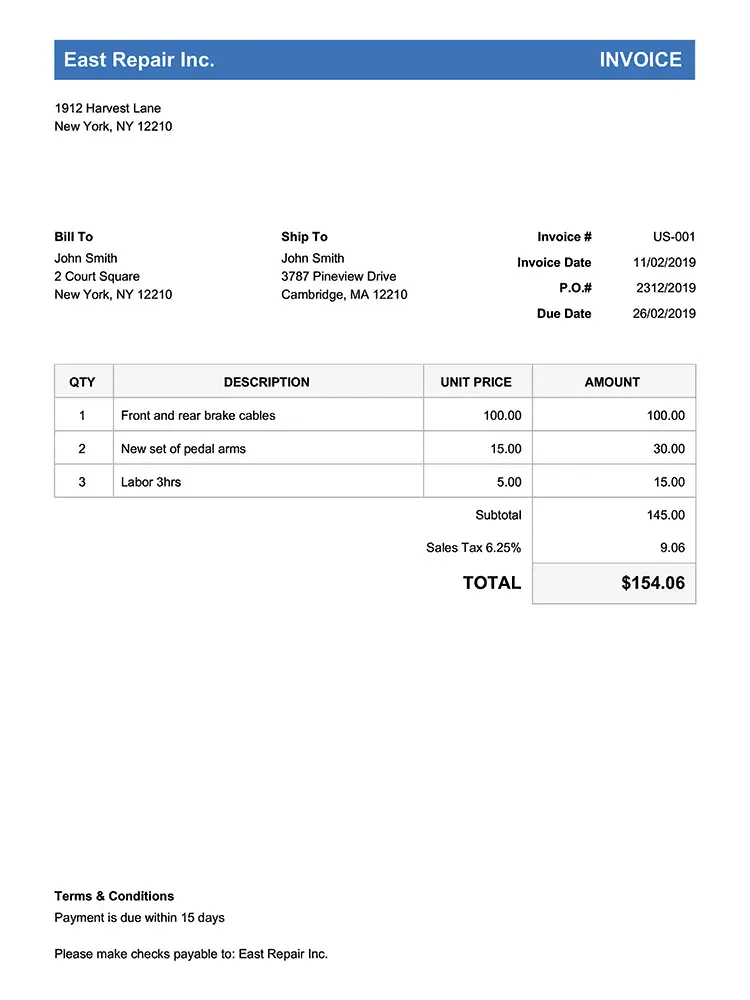
Built from the work order
Itemized Invoicing · every part on the bill
Itemized garage door invoices with labor, parts, and trip fees
When a tech finishes a job, the parts and labor are still fresh, and that is exactly when the invoice should be built. Bella FSM pulls the work order straight into an itemized invoice, so a spring repair, an opener swap, or a panel replacement is billed in full before the next call.
- Separate line items for springs, openers, cables, rollers, and panels
- Labor and parts itemized, with a trip fee added in a tap
- Sales tax, markups, and service charges calculate from your settings
- Photos and job notes attach to the invoice for a clear record
- Customer signature captured on-site to approve the work
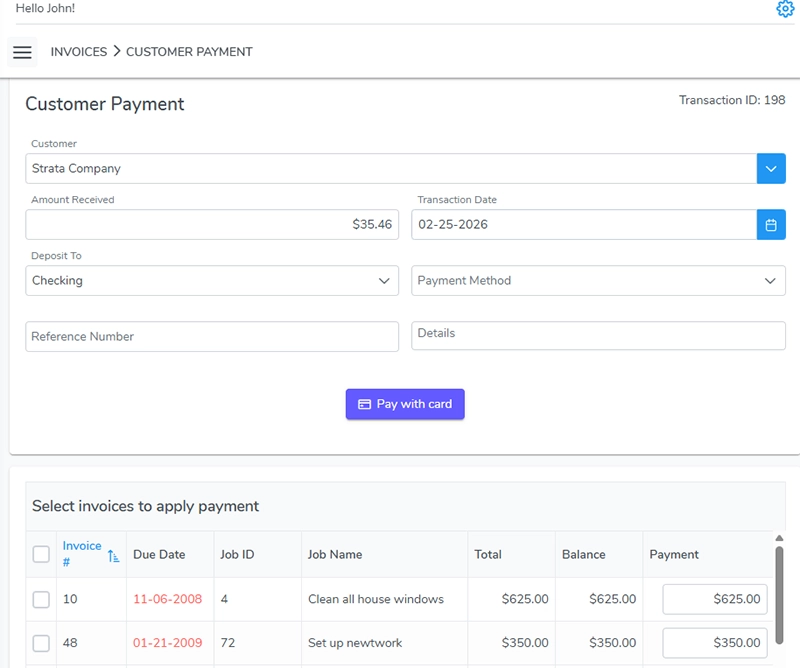
Deposits + progress payments
Deposits & Progress Billing · staged, not guessed
Deposits and progress billing for commercial installs
A $5,000 commercial install does not get billed like a spring repair. You take a deposit before the custom door is ordered, collect progress payments as the work moves, and settle the balance at completion. Bella FSM tracks each payment against the job so you always know what has been collected and what is still owed.
- Collect an upfront deposit before ordering a custom door
- Bill progress payments across a multi-day install
- Split billing on multi-door residential and commercial jobs
- Every payment applied to the running balance automatically
- Schedule the job, then bill it, all in one connected system
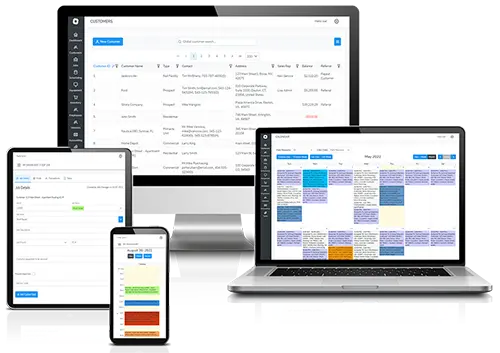
One AR view, every balance
Payment Tracking & AR · chased automatically
Payment tracking and accounts receivable for every job
A spring repair that never got paid is easy to forget; a commercial balance that sits for a month hurts. Bella FSM keeps every open invoice in one accounts receivable view and sends reminders on overdue bills so you collect without making awkward follow-up calls.
- See every unpaid balance across all customers at a glance
- Automated reminders go out on overdue invoices
- Record card, ACH, cash, or check payments in seconds
- Payments sync two ways with QuickBooks as they clear
- Lifetime payment history tied to each customer record

Flat-rate or project pricing
Flexible Pricing · your call
Flat-rate and project pricing on one system
Quick service calls bill best at a flat rate; large installs need a full project quote with parts, labor, and stages. Bella FSM supports both so a $150 spring swap and a $5,000 commercial door build can each be priced the right way and tied back to the customer record.
- Set flat-rate pricing for common spring, cable, and opener fixes
- Build full project quotes for residential and commercial installs
- Convert an approved estimate into an invoice without re-entry
- Mix flat rates, hourly labor, and parts on the same invoice
- Keep every job, invoice, and payment on the customer profile
1-clickinvoicing
Pro Tip · Bill straight from the work order
Turn the approved estimate into the invoice in one click.
When the customer signs off on the estimate, the line items are already there. Bella FSM converts an approved garage door estimate into an invoice in a single click, with no copy-paste and no rebuilding parts and labor by hand.
Start Free TrialFrequently Asked
Garage door invoicing software questions.
Can I invoice for both a $150 spring repair and a $5,000 commercial install?
Yes. Bella FSM handles the full range of garage door work on one system. A quick spring or opener repair can bill at a flat rate with parts and a trip fee, while a large residential or commercial multi-door install can be quoted as a full project with deposits and progress payments. The same customer record holds every job, no matter the size.
Can I create and send invoices from the field?
Yes. From a phone or tablet, a technician can mark the job complete, pull the labor and parts from the work order into an itemized invoice, capture a customer signature, and send the invoice with a Pay Now link before leaving the property. No printer or office trip required.
How do deposits and progress billing work on larger jobs?
For bigger commercial and multi-door jobs, you can collect an upfront deposit before ordering a custom door, bill progress payments as the install moves forward, and settle the balance at completion. Every payment applies to the running balance, so you always see what has been collected and what is still owed on the project.
How do customers pay a garage door invoice?
Every invoice carries a Pay Now button linked to secure Stripe checkout, so customers can pay by credit card or ACH from the invoice itself, on-site or later. You can also record cash or check payments in seconds. As payments clear, they sync two ways with QuickBooks so your books stay current.
How does it help me collect on overdue invoices?
Bella FSM keeps every open balance in one accounts receivable view across all your customers, and sends automated reminders on overdue invoices. Instead of a forgotten commercial balance sitting in a truck folder, you can see what is outstanding at a glance and let the reminders do the chasing for you.
Get paid faster
Get started with garage door invoicing software from Bella FSM
Stop chasing garage door payments. Start collecting on-site. Free 14-day trial. No credit card required. Build your first itemized garage door invoice in minutes and take payment before you leave the property.
What you get on day one
- Itemized labor, parts, and trip fees on every invoice
- Invoice from the field with on-site signature capture
- Stripe payment links on every bill
- Deposits and progress billing for commercial jobs
- Two-way QuickBooks sync, no double entry
- AR tracking with automated overdue reminders