
Grow Your Business
Septic Invoicing Software
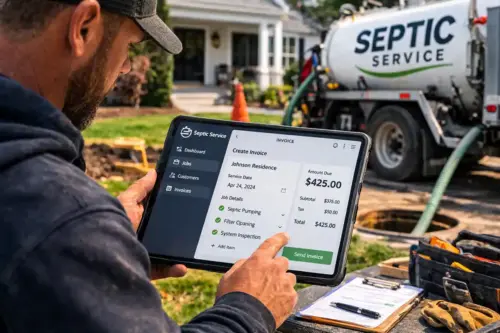
Septic invoicing software that bills every pump-out without the paperwork.
Scheduled pump-outs, real-estate inspections, after-hours callouts, and multi-phase system installs all bill differently. A missed charge is money left in the tank. Bella FSM turns every completed septic job into an itemized, professional invoice that captures gallons pumped, tank size, and disposal details automatically. Send it from the truck, take payment online, and watch receivables stay current.
Gallons & tank size on every invoice
Stripe payment links
QuickBooks sync
Pump-out complete
1,250 gal · 1,500-gal tank
Paid on site
Stripe · card or ACH
In plain English
What is septic invoicing software?
Septic invoicing software is the billing layer of a septic company's back office. It holds the rate table, the property records, and the service history, then builds an itemized invoice out of what the driver logged on site: gallons pumped, tank size, the disposal facility, the surcharge on a 2 a.m. callout. Inspection findings and compliance status ride along on the same document. The homeowner pays by card or ACH from the invoice itself, and anything unpaid lands on an aging report.
Owner-operator septic pumpers
For a single-truck operation, it means the pump-out gets billed the same afternoon it happens, with the gallons and the disposal fee already on the invoice.
Multi-truck septic companies
For a bigger outfit, it means one receivables view over every truck, HOA contract, and phased install, so an overdue balance turns up before it passes 30 days.
Bella FSM is septic invoice software built for exactly that range. One truck to a multi-crew regional company. 14-day free trial, no credit card, and setup in about 15 minutes.
56% of small field service businesses are owed money on unpaid invoices, averaging $17,500 each, and 47% have invoices more than 30 days overdue. 2026 State of Small Field Service Businesses
The paper problem
Why septic invoicing breaks down on handwritten tickets
The reality
Septic billing has many shapes
- Scheduled pump-outs with gallons pumped and disposal fees
- Real-estate inspections that need compliance documentation
- Emergency and after-hours callouts with surcharges
- System installs billed in phases across several weeks
- Recurring contract billing for HOAs and commercial accounts
What goes wrong
Paper septic tickets leak revenue
- Disposal charges and surcharges forgotten between truck and office
- Gallons and tank size missing, so customers dispute the bill
- Install milestones billed late or skipped entirely
- Inspection paperwork stalls a closing because it's incomplete
- Invoices sit on a desk for a week and receivables age silently
With Bella FSM
Every septic charge captured
- Invoices build from field entries: gallons, tank size, disposal site
- Surcharges and rate types applied automatically per job
- Phased install milestones invoice on schedule
- Inspection invoices carry compliance documentation
- Stripe links and reminders keep AR current and on track
Built for septic companies · everything in one place
Key features of Bella FSM septic invoicing software
From a routine pump-out to a multi-week system install, Bella FSM captures the right charges, documents the details county inspectors and title companies ask for, and gets your invoices paid faster.
Itemized Septic Pump-Out Invoices
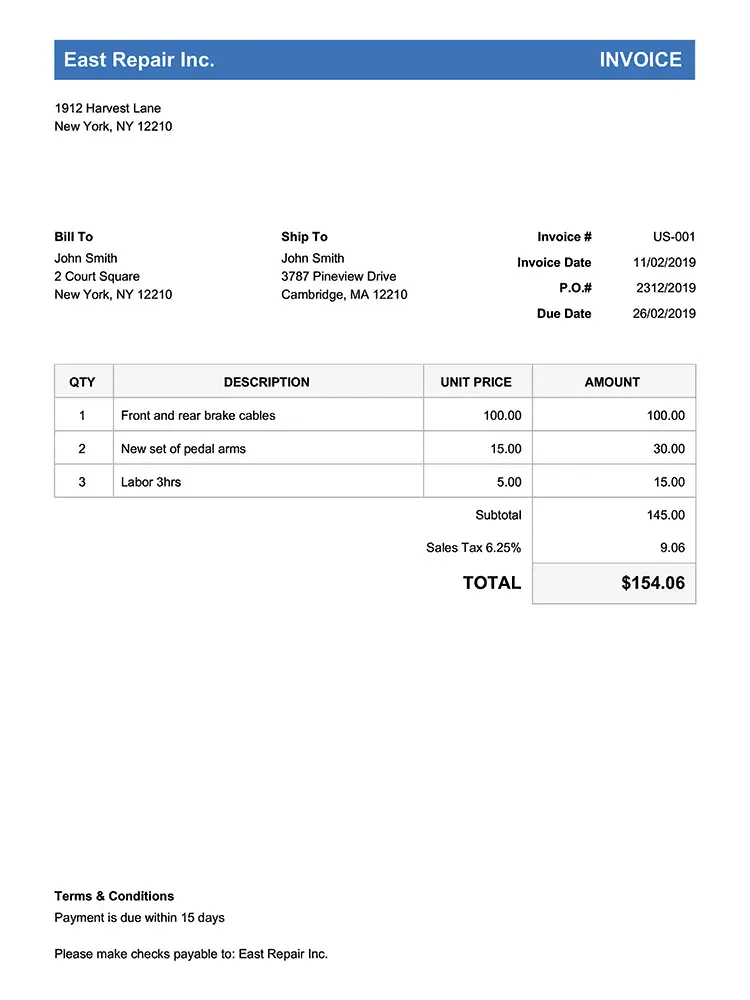
Every invoice shows gallons pumped, tank size and material, the disposal facility, and technician notes. Customers see exactly what happened and pay without back-and-forth.
Septic Inspection & Compliance Billing
Bill real-estate and county inspections with tank condition, drain-field absorption, and compliance status attached, so title companies get documentation-grade paperwork that moves closings forward.
Phased Septic Install Billing
Bill large system installs in stages. A deposit when the permit is pulled, a progress invoice when the tank is set and backfilled, and a final bill once the county inspector signs off. Each payment ties to one job.
Emergency & After-Hours Septic Rates
Apply after-hours and emergency callout surcharges automatically based on the job type and time. No more forgotten premiums when the office writes up a 2 a.m. backup the next morning.
Online Septic Payments & QuickBooks Sync
Embed Stripe payment links so homeowners pay on the spot by card or ACH, then sync every paid invoice to QuickBooks so your books reconcile without double entry.
Septic AR Tracking & Reminders
A real-time accounts-receivable view shows aging balances, payment history, and overdue alerts. Automated reminders nudge customers who overlooked their pumping bill. No awkward collection calls.
Pump-Out & Inspection Invoices
Start Free Trial
Itemized septic pump-out invoices with gallons and tank size
A routine pump-out invoice should tell the whole story: 1,250 gallons pumped from a 1,500-gallon concrete tank, the disposal fee at the county facility, and a note that the effluent filter needs replacing next visit. When customers see that detail, they pay without questions, and a real-estate inspection invoice with tank condition and compliance status forwards straight to the title company.
Gallons, tank size, and disposal on every septic pump-out invoice
- Document gallons pumped, tank size, and tank material per job
- Add disposal facility and disposal charges as line items
Septic inspection findings and compliance status on the invoice
- Attach inspection findings, photos, and compliance status
After-hours and emergency septic surcharges applied automatically
- Apply emergency or after-hours surcharges automatically
- Send a polished, branded invoice by email or text on-site
Phased Install Billing
Explore route scheduling & dispatch
Phased billing for septic system installs
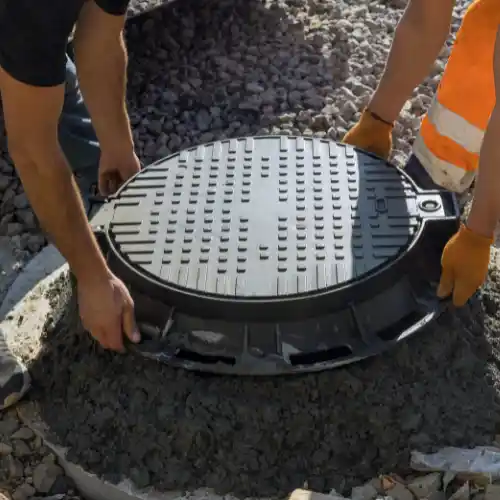
A full system replacement, new tank, distribution box, and drain field, can run across two weeks of excavation and inspection. Bella FSM lets you collect the deposit when the permit is pulled, invoice when the tank is set and backfilled, and send the final bill once the county inspector signs off. Every milestone payment ties back to the same job record, so nothing slips between stages.
Permit, set and backfill, sign-off: three septic install milestones
- Collect a deposit the moment the permit is pulled
- Trigger a progress invoice when the tank is set and backfilled
- Send the final invoice once the county inspector signs off
Every septic milestone payment tied to one job record
- Each milestone payment ties to one job and customer record
- Pair invoicing with the schedule for end-to-end job-to-bill flow
Payments & Accounts Receivable
Start Free Trial
Online payments and accounts-receivable tracking for septic invoices
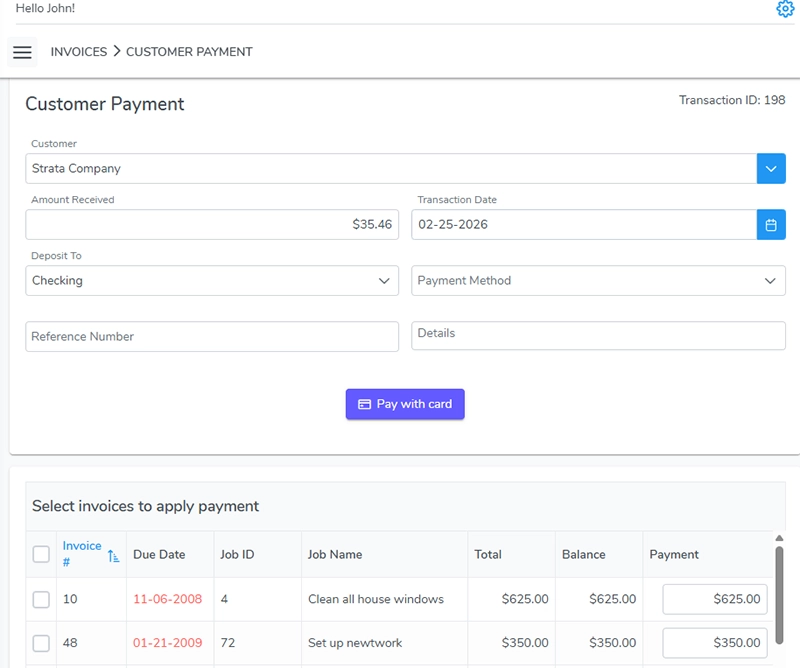
Embed a Stripe payment link on every invoice so homeowners pay by card or ACH before the truck leaves. Each payment records against the service record, and a real-time AR dashboard shows you which accounts are current and which need a nudge, with automated reminders that handle the follow-up so your staff never has to make an uncomfortable collection call.
Stripe payment links on every septic invoice
- Stripe payment links for instant card and ACH payments
- Every payment tied to the property and service record
Real-time AR tracking for overdue septic bills
- Real-time AR dashboard with aging balances and history
- Automated reminders for overlooked pumping bills
QuickBooks sync for your septic invoices without double entry
- QuickBooks sync keeps the books reconciled without re-entry
HOA & Commercial Contracts
Explore customer & property records
Septic billing software for HOA and commercial contracts
Many septic companies run scheduled pumping contracts for HOAs, restaurants, and commercial properties. Set the cycle and rate once, and Bella FSM generates each contract invoice on schedule, tied to the same account and property record. Every invoice links back to the property record, so when a manager calls about a charge, you pull up the address, tank size, gallons pumped, and payment date in one view.
Recurring septic pumping contracts on autopilot
- Configure recurring pumping schedules and contract rates once
- Auto-generate contract invoices on the right cycle, every time
Every septic contract invoice linked to the property record
- Track real-estate inspection fees separately from contract work
- Every invoice linked to the property record for fast lookups
- Monitor outstanding balances across dozens of accounts at once
1-clickinvoice
Pro Tip · Invoice From The Truck
The septic invoice builds itself when the driver marks a pump-out complete
Log the gallons and disposal site in the field and the invoice fills in from those entries, with no re-typing at the office. Your team reviews, approves, and sends, and the homeowner can pay before the truck pulls out of the driveway.
Start Free Trial
Frequently Asked
Common questions about septic service invoicing software.
What is septic service invoicing software?
It's billing software built for the way septic companies actually get paid: scheduled pumping fees and disposal charges, real-estate inspection billing, emergency callout surcharges, repairs, and phased system installs. Bella FSM generates itemized invoices from completed work orders, so technicians can bill accurately from the field, including gallons pumped, tank size, and the disposal facility, and the office never has to reconstruct a job from a handwritten ticket.
Can technicians create septic invoices from the job site?
Yes. When a technician marks a pump-out complete and logs the gallons, tank size, and disposal site, the invoice builds itself from those field entries. No double entry between the dispatch board and the office. Your technician can generate and send a professional, itemized invoice on-site, with a payment link the homeowner can use before the truck leaves the driveway.
How do I bill a large septic system installation in phases?
For a full system replacement, you can collect the deposit when the permit is pulled, send a progress invoice when the tank is set and backfilled, and send the final invoice once the county inspector signs off. Each milestone payment ties back to the same job record, so you can see at a glance what has been billed, what has been paid, and what is still outstanding on the project.
What should be on a septic tank invoice?
A septic tank invoice should show the gallons pumped, the tank size and material, the disposal facility that took the load, and the date the work was done. List the pumping fee, the disposal charge, and any after-hours surcharge on separate lines. If the technician found a cracked baffle or a failing effluent filter, note it on the same invoice so the property owner has a record.
Is there a septic services invoice template I can start from?
Yes. Bella FSM ships with an itemized layout you can brand and edit, and you can keep separate versions for routine pumping, real-estate inspections, and phased installs. Because the invoice pulls from the completed work order, the gallons, tank size, and disposal facility fill in on their own instead of being retyped from a paper ticket every time.
What payment methods can septic customers use?
Every invoice can carry an embedded Stripe payment link, so homeowners and property managers pay by credit card, debit card, or ACH transfer directly from the invoice. Each payment is recorded against the service record and tied to the property, and paid invoices sync to QuickBooks so your books reconcile without re-keying anything.
Does the software send automatic payment reminders for septic invoices?
Yes. Bella FSM's accounts-receivable tracking shows aging balances and overdue alerts across every account, and you can configure automated reminders so a property owner who overlooked their pumping bill gets a friendly nudge, without your staff making an uncomfortable collection call. For commercial accounts and phased installs, the system flags each overdue milestone so nothing ages silently in your receivables.
Bill every job · get paid faster
Get started with septic invoicing software from Bella FSM
Stop chasing paper tickets. Start billing every pump-out the day you do it. Free 14-day trial. No credit card required. Cancel anytime. Real human support that understands how septic companies pump, inspect, install, and bill.
What you get on day one
- Itemized pump-out invoices with gallons and tank size
- Inspection billing with compliance documentation
- Phased install billing: permit, set & backfill, sign-off
- Stripe payment links and QuickBooks sync
- Recurring contract billing for HOAs and commercial accounts
- AR tracking with automated payment reminders